What's inside
As an Amazon Associate I earn from qualifying purchases. This post may contain affiliate links at no extra cost to you.
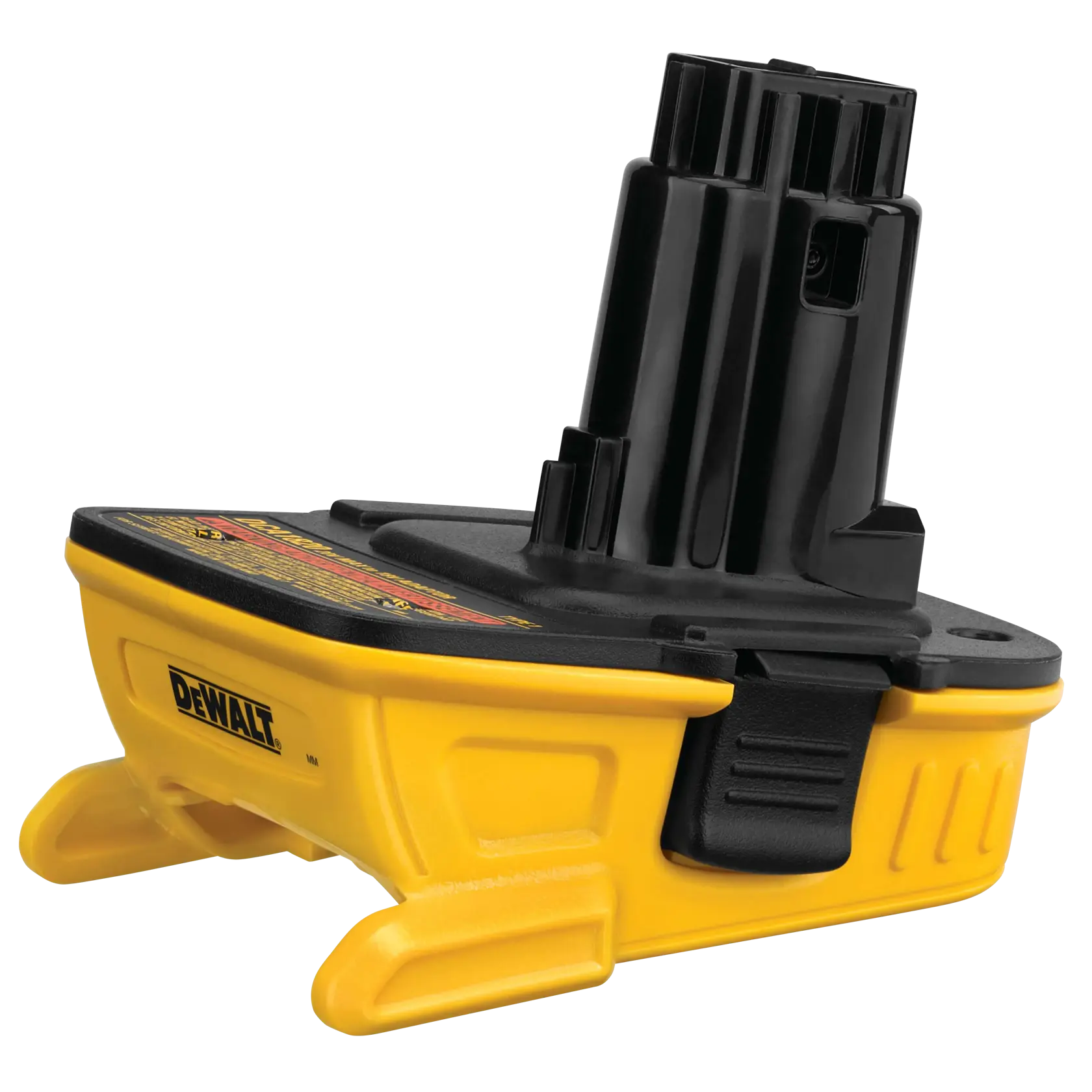
A cordless battery adapter can make one brand’s battery run another brand’s tool, but it also bypasses parts of the safety system the original manufacturers designed together. A careless adapter can cause a tool to run poorly, damage the battery or charger, melt wiring, or create a fire risk.
The safest approach is to treat an adapter as a wiring and protection component—not just a plastic connector. Check the electrical ratings, physical condition, battery communication, and charging method before using it under load.
Check the voltage before anything else
Compare the battery’s nominal voltage with the tool’s required voltage. A “20V” battery is commonly a 5-cell lithium-ion pack with a nominal voltage around 18V and a full-charge voltage of about 20–21V. A “18V” tool may therefore be electrically compatible with a 20V-class battery, but you must verify the specific platform and adapter.
Do not connect a battery with a higher nominal voltage to a tool that is not designed for it. A higher-voltage pack can overspeed a motor, overheat electronic controls, and exceed the voltage rating of capacitors or switches. The reverse arrangement may simply produce weak performance, but it can also cause excessive current draw if the tool stalls.
Use a multimeter to measure the battery output only if you understand the connector polarity and can probe it without shorting adjacent contacts. A fully charged lithium-ion pack should not read dramatically above its advertised maximum. Stop if the voltage is unexpectedly low, unstable, or rises and falls when the pack is moved.
Inspect the adapter’s construction
Look for an adapter with a rigid housing, positive battery retention, thick conductors, and contacts that cannot move sideways into a short circuit. The adapter should lock onto both the battery and tool without excessive force. A loose fit creates resistance and heat; an overly tight fit can damage the battery rails.
Check the wire gauge and terminal quality. High-power tools can draw tens of amps during acceleration or a stall. Thin wires, loose crimp terminals, and narrow stamped contacts may work with a drill but overheat on a saw, grinder, recip saw, or blower. Discoloration, a melted housing, softened plastic, or a hot electrical smell means stop using it.
A fuse is useful, but it is not a substitute for correct design. If the adapter has an inline fuse, it should be located close to the battery positive connection and rated for the adapter’s intended load. Never replace a blown fuse with foil, a nail, or a much larger fuse. Repeated fuse failures indicate a fault, overload, or incompatible tool.
For a safer starting point, compare battery adapters with an inline fuse rather than choosing the cheapest unprotected connector.
Understand what the adapter may bypass
Many cordless platforms use more than two power contacts. Extra terminals can carry temperature, identification, or communication signals between the battery, charger, and tool. A simple adapter may connect only positive and negative terminals, leaving the tool without the battery-management information it expects.
| Adapter type | Typical advantage | Main risk or limitation |
|---|---|---|
| Passive two-wire adapter | Cheap and simple; often adequate for basic tools | May bypass temperature, identification, or low-voltage protection |
| Adapter with fuse | Limits damage from a short or severe overload | Fuse rating may not suit high-startup-current tools |
| Adapter with electronic protection | Can add current, temperature, or cutoff protection | More expensive; electronics may not communicate correctly with every platform |
| Adapter intended only for a specific tool family | Usually better fit and clearer load limits | Less flexible and still requires voltage verification |
Some tools will not start without the expected signal. Others will run normally but lose important protection. In particular, do not assume the tool will shut down before the battery is over-discharged. The battery’s own internal protection may cut power, but relying on that repeatedly can shorten pack life or cause nuisance shutdowns.
Never charge through an unknown adapter
Use the battery manufacturer’s charger for that battery platform. Do not place an adapted battery on a charger made for the tool platform, and do not charge a battery while it is attached to a tool through an adapter unless the adapter is explicitly designed and approved for charging.
Charging requires controlled voltage, current, temperature monitoring, and cell balancing. A passive adapter generally provides none of these functions. A battery can appear to charge while receiving the wrong termination or temperature signal. That creates a serious fire hazard, especially if the pack is damaged or already hot.
For replacement charging equipment, choose a charger made for the exact battery platform. Keep charging on a noncombustible surface, remain nearby, and stop if the pack becomes unusually hot, swells, hisses, or smells sweet or solvent-like.
Test the combination in stages
Before inserting the battery, inspect both the adapter and tool for bent contacts, debris, corrosion, or cracked plastic. Confirm the polarity markings. If you can identify the adapter’s positive and negative paths, check continuity with the multimeter while the adapter is disconnected from the battery.
Fit the adapter to the tool first, then install a partially charged battery. Start with the tool unloaded for a few seconds. Listen for arcing, buzzing, or abnormal motor speed. Remove the battery and check the adapter contacts and wires for warmth.
Next, use a light load for 30–60 seconds. Monitor for heat at the battery terminals, adapter wiring, switch, and tool housing. Warmth is not automatically a failure, but a connector that becomes too hot to comfortably touch is unsafe. A hot adapter with a cool motor usually points to contact resistance; a hot motor may indicate overload or voltage incompatibility.
Do not begin testing with a circular saw buried in wood or a grinder under heavy pressure. High startup and stall currents expose weak adapters quickly, but they can also weld contacts or damage a battery before you have time to react.
Match the adapter to the tool
A low-power drill or inspection light is a more forgiving application than a grinder, chainsaw, circular saw, or high-output blower. High-current tools also produce more vibration, which can loosen adapter contacts and increase resistance over time.
The cheaper adapter can be reasonable for occasional, supervised use with a light-duty tool when the voltage matches, the fit is secure, and charging remains on the proper charger. For daily work, high-current tools, dusty job sites, or equipment used unattended, buy a manufacturer-approved cross-platform solution—or keep batteries within one ecosystem.
If the adapter has no clear voltage rating, no load guidance, poor retention, exposed conductors, or unexplained extra terminals, do not guess. The cost of a second battery is usually lower than the cost of a damaged tool, ruined pack, or lithium-battery fire.
Related guides
- Longest Lasting Lawn Mower Battery: AGM vs Lithium vs Flooded Lifespan and Cost per Season
- Duralast Gold Lawn Mower Battery Review: U1 Fit, CCA and When to Pay for AGM
- Greenworks Pro 80V 21-Inch Mower Review: Runtime Math, Push vs Self-Propelled and Yard Fit
- Bosch High Pressure Washer Gun Replacement: Fittings, Adapters and What Fits Your Model