What's inside
As an Amazon Associate I earn from qualifying purchases. This post may contain affiliate links at no extra cost to you.
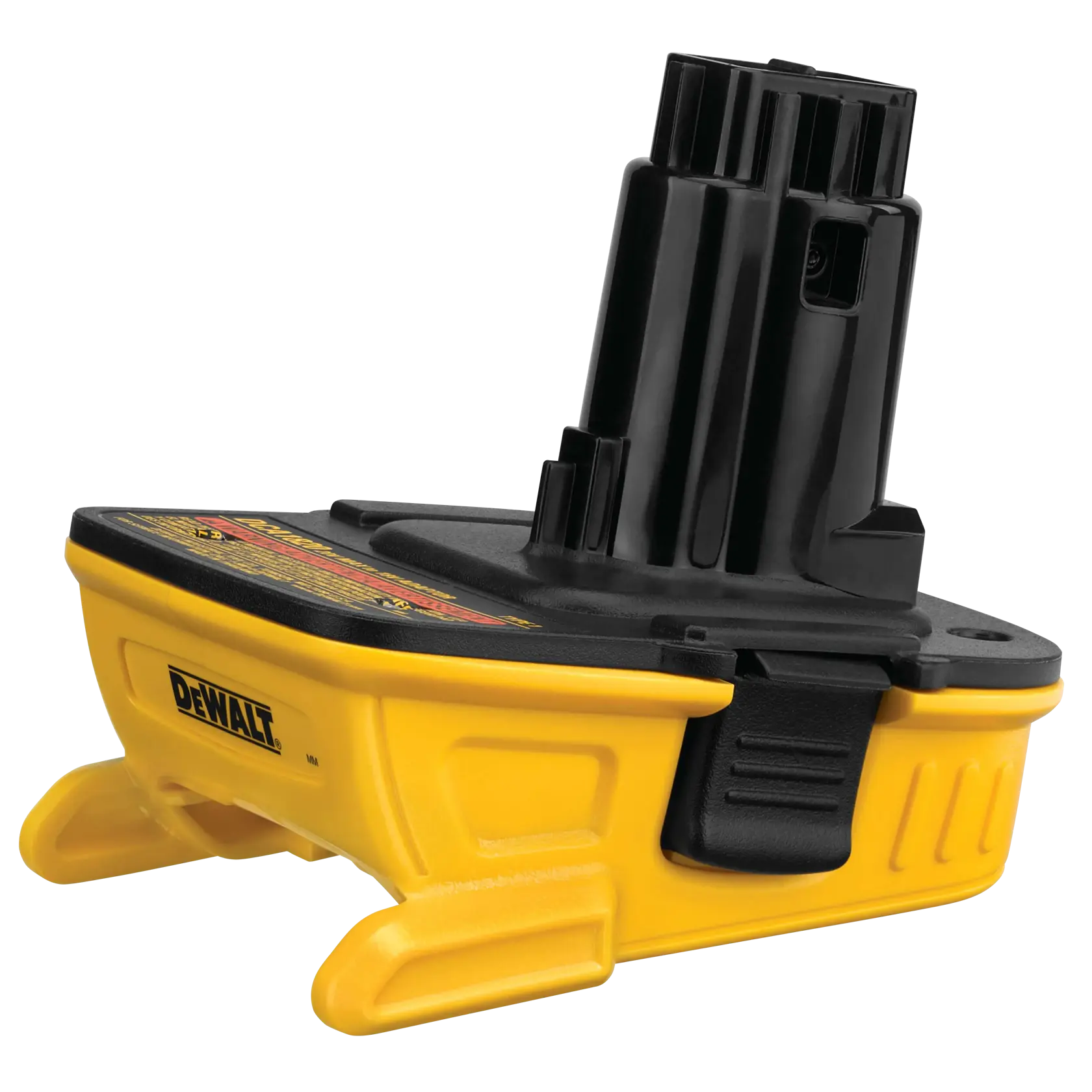
A battery adapter that works with a drill may still be a poor match for a high-current tool. A compact drill often draws modest current in ordinary use; a circular saw, grinder, or impact wrench can demand much more, especially at startup or under load. An adapter can fit physically and still overheat, cut out, or damage a battery’s contacts.
Before buying, check the adapter’s electrical path, protection features, and the limits of both batteries. If the maker does not publish a current rating, treat the adapter as intended for light-duty use—not as a proven match for a demanding tool.
Why current matters more in some tools
Battery current rises with tool load. A saw cutting thick material or a grinder binding briefly can draw several times the current of a drill driving a small screw. That surge puts heat into the adapter’s contacts, wiring, and internal components. The battery may also shut off if its protection circuit detects excessive current or temperature.
Voltage alone does not tell you whether an adapter is suitable. A 20V-class battery and a compatible tool may have the right nominal voltage, but the adapter still needs to carry the required current and preserve any control or temperature-sensing connections the system relies on. Never assume that a tool’s advertised power rating translates directly into a safe adapter current rating.
Start with the adapter’s current rating
Look for a continuous current rating and, ideally, a short-duration peak rating in the adapter maker’s documentation. A listing that says only “high power” or “heavy duty” is not a useful specification. If there is no rating, no clear manufacturer, and no explanation of protection features, skip it for a high-current tool.
Compare the rating with the tool’s expected demand, not just its average use. If a tool manual gives a maximum current or power figure, use it as a starting point. For example, a 500W load at 18V would draw roughly 28A before losses (500 ÷ 18). Real demand can vary, and startup surges can be higher. A rating close to the estimated demand leaves little margin for heat or hard use.
Check the battery too. Battery packs differ in cell type, capacity, and discharge capability. A larger amp-hour number means more stored energy, but it does not by itself guarantee a higher safe discharge current. If the battery maker publishes a maximum discharge rating, make sure it suits the tool’s load.
Inspect the adapter’s design and protections
Prefer an adapter with a robust housing, firmly supported contacts, and short, adequately sized conductors. Thin wires, loose-fitting terminals, exposed metal that could bridge contacts, or a housing that flexes under hand pressure are warning signs. Heat discoloration, a burnt-plastic smell, or intermittent power after use are reasons to stop immediately.
Find out whether the adapter includes overcurrent, overtemperature, and low-voltage protection. Some adapters are little more than a mechanical connector; they may pass power without the protections or battery-management functions of the original system. An adapter should not defeat the battery’s built-in protection, but relying on the battery alone does not make an under-rated adapter safe.
Compatibility also involves more than the main positive and negative terminals. Some platforms use extra contacts for temperature monitoring or communication. If an adapter omits these, the tool may not behave as intended, and the battery may not shut down as the original system would. Use a product that clearly identifies the battery and tool platforms it supports, and follow both manufacturers’ instructions.
Choose an approach that fits the workload
| Option | Best fit | Main trade-off |
|---|---|---|
| Manufacturer-made battery for the tool platform | Frequent or demanding use, especially saws, grinders, and outdoor equipment | Usually costs more, but avoids an extra power connection and is the clearest compatibility choice |
| Rated third-party adapter | Occasional use when the adapter lists supported platforms, current limits, and protections | Adds contacts and wiring that can heat up or wear; warranty and support may be limited |
| Unrated or vague adapter | At most, low-load intermittent use where failure will not create a hazard | Unknown current capacity and protection; not a sensible choice for high-current tools |
If you need an adapter, compare cordless tool battery adapters with published current ratings. Treat those ratings as claims to verify against the maker’s documentation, not as proof by themselves. For repeated heavy work, buying the correct platform battery is often the better long-term choice; a compatible high-capacity platform battery may cost more up front but removes the adapter as a weak point.
Test cautiously and watch for warning signs
Before first use, inspect the adapter and battery for cracked plastic, bent terminals, dirt, or corrosion. Fit the battery and check that it locks securely. Start with a brief, low-load test in a safe work area. Then use the tool under a moderate load and pause to inspect the adapter. Do not begin by running a saw at full load for an extended cut.
Stop if the adapter becomes unusually hot, the tool cuts out, power flickers when the tool moves, or the battery releases unexpectedly. A little warmth after use may be normal; rapid heating is not. Do not keep resetting a battery that has shut itself off, and do not bypass thermal or overcurrent protection. Let the pack and adapter cool according to their manuals before inspecting them.
Keep the adapter dry and free of metal filings, and remove the battery before cleaning or storage. Never modify the contacts, add wire, or use a homemade bridge to make an incompatible pack fit. Those shortcuts can cause a short circuit, fire, or a tool that runs without reliable control.
When a cheaper adapter is reasonable
A low-cost adapter can be a practical convenience for an occasional, low-load job—such as powering a light-duty drill or a work light—if the fit is secure and the adapter is clearly intended for those exact platforms. The trade-off is less certainty about service life, support, and protection. For a saw, grinder, high-torque impact wrench, or any tool used hard for long periods, choose a properly rated adapter with documented limits or use the battery system the tool was designed for.
Related guides
- Longest Lasting Lawn Mower Battery: AGM vs Lithium vs Flooded Lifespan and Cost per Season
- Duralast Gold Lawn Mower Battery Review: U1 Fit, CCA and When to Pay for AGM
- Greenworks Pro 80V 21-Inch Mower Review: Runtime Math, Push vs Self-Propelled and Yard Fit
- Bosch High Pressure Washer Gun Replacement: Fittings, Adapters and What Fits Your Model