What's inside
As an Amazon Associate I earn from qualifying purchases. This post may contain affiliate links at no extra cost to you.
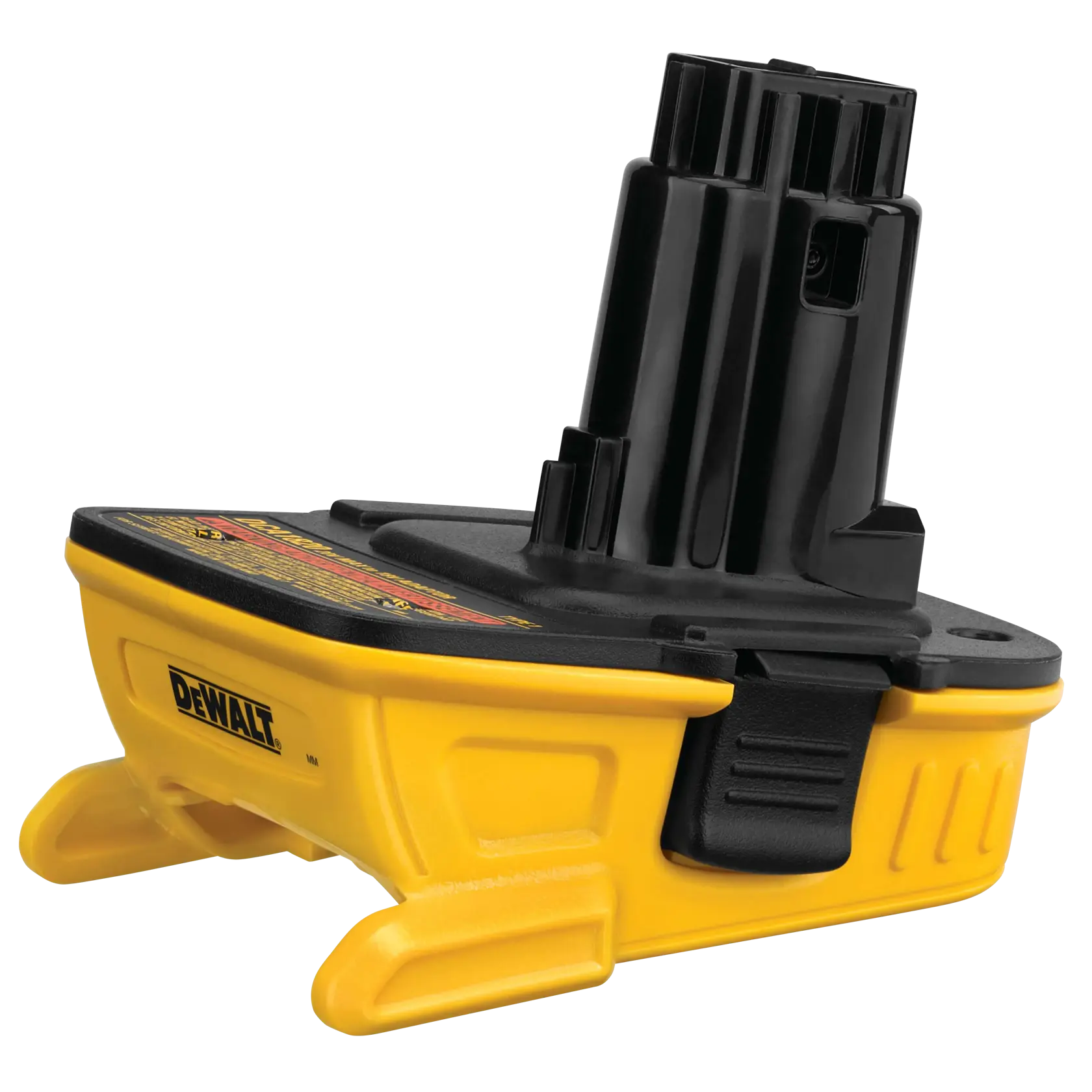
A cordless tool battery adapter can make an older drill useful with a newer battery platform, or let you use one brand’s pack on another brand’s tool. The trade-off is that an adapter changes the electrical and mechanical interface. It does not make two batteries equivalent, add missing protection, or guarantee that the tool will stop safely when the pack is empty.
Use an adapter only when its voltage, current capacity, fit, and protection features suit both the battery and the tool. For occasional, light-duty use, a simple adapter may be adequate. For high-load tools, frequent use, or unattended operation, the limits matter enough that a compatible battery is usually the safer buy.
Check voltage before buying
Match the battery’s nominal voltage to the tool’s required voltage. A pack labeled 18V and one labeled 20V MAX are generally the same nominal voltage class: the difference is typically the way the brands describe the pack’s voltage, not permission to use a higher-voltage system. A 12V tool and an 18V-class pack are not interchangeable unless the tool maker explicitly allows it.
Voltage alone is not enough. A tool’s electronics may depend on communication pins in the original battery system to monitor temperature, identify the pack, or stop operation at low charge. An adapter that connects only the main positive and negative terminals may bypass those functions. The tool might run, but the battery could lack its intended low-voltage cutoff or temperature protection in that setup.
Read the tool and battery manuals, then check the adapter maker’s compatibility list. If the documentation does not clearly cover your exact tool and battery platform, treat compatibility as unverified. Do not rely on a connector that happens to slide into place.
Understand current and workload limits
Battery capacity, measured in amp-hours (Ah), indicates how much charge a pack stores; it does not tell you the maximum current it can safely supply. A compact 2Ah pack may run a drill for light fastening but struggle with a saw, grinder, or long stretch of drilling. High-current work can cause voltage sag, heat, early shutdown, or damage to the pack, tool, or adapter.
Adapters also have current limits. A low-cost unit may have thin conductors, small contacts, or no published rating. Those can heat up under heavy load. Stop if you notice a hot adapter, softened plastic, discoloration, a burnt smell, intermittent power, or sparking beyond the small contact arc that can sometimes occur when connecting a live tool circuit. Disconnect the battery and let the parts cool; do not keep testing a suspect connection.
For a reciprocating saw, circular saw, grinder, or other high-draw tool, look for an adapter with a clear current rating and documented compatibility, or buy the tool in the battery platform you already own. A battery adapter with stated protection and ratings is easier to assess than an unmarked adapter, though a printed rating is not proof of independent testing.
Choose the setup that fits the job
| Option | Best fit | Main trade-off |
|---|---|---|
| Brand-approved battery and tool | Regular use, demanding work, or jobs where protection features matter | Higher upfront cost if you need another pack or platform |
| Adapter with documented compatibility and protection | Occasional cross-platform use when the tool and pack are explicitly supported | Still adds a connection and may not reproduce all battery-tool communication |
| Basic low-cost adapter | Light, supervised tasks with a compatible voltage class and a known-good pack | Ratings and protective features may be unclear; poor choice for high-current work |
If you use one older tool a few times a year, a basic adapter can be a reasonable economy choice—provided its fit is secure, voltage is correct, and the work is light. If you are building a regular-use setup, compare the adapter’s price with a bare tool that accepts your existing packs, or with a complete tool-and-battery kit. A platform-specific adapter is preferable to a universal-looking one when it clearly identifies supported battery and tool families.
Inspect the adapter and test cautiously
Before first use, check for cracked housing, loose contacts, exposed wires, burrs, and debris. The adapter should lock into the tool and battery without force or noticeable rocking. Keep metal objects away from exposed terminals; a short circuit can produce intense heat, burns, or fire. Never tape an adapter in place or modify its contacts to make it fit.
Start with a fully charged, undamaged battery and a low-load task. Run the tool for a few seconds, release the trigger, then check the adapter and battery for unusual heat or movement. If they stay cool and stable, increase the workload gradually. This is a practical check, not a substitute for a proper rating or compatibility confirmation. Do not leave a tool running unattended, especially when the adapter may prevent the tool from reading battery temperature or charge state.
Charge the battery with its own charger
An adapter is for connecting a battery to a tool, not for charging it. Charge each pack on the charger specified for that battery platform. Do not try to charge through the adapter, and do not leave a battery attached to a tool or adapter during storage. Remove the pack before changing blades or bits, clearing a jam, inspecting the tool, or transporting it.
Store packs away from direct sun, heaters, moisture, and loose metal. If a battery is swollen, cracked, leaking, unusually hot, or has been dropped hard, stop using it and follow the maker’s guidance for disposal or service. Never bypass a fuse, temperature sensor, or low-voltage cutoff to keep a mismatched setup running.
When to skip the adapter
Do not use an adapter if the tool maker prohibits it, voltage is uncertain, the adapter’s contacts are loose, or the setup repeatedly shuts down under load. Avoid it for critical overhead work, safety-sensitive cutting, or unattended equipment if you cannot confirm that the battery can shut down safely. In those cases, a matching platform tool and pack—or a compatible replacement battery—is the clearer, lower-risk choice.
Before buying, verify three things in writing: the battery voltage class, the exact tool and pack compatibility, and the adapter’s current or protection limits. If the seller does not provide enough information to check those points, save the money for a properly matched tool or battery instead.
Related guides
- Longest Lasting Lawn Mower Battery: AGM vs Lithium vs Flooded Lifespan and Cost per Season
- Duralast Gold Lawn Mower Battery Review: U1 Fit, CCA and When to Pay for AGM
- Greenworks Pro 80V 21-Inch Mower Review: Runtime Math, Push vs Self-Propelled and Yard Fit
- Bosch High Pressure Washer Gun Replacement: Fittings, Adapters and What Fits Your Model