What's inside
As an Amazon Associate I earn from qualifying purchases. This post may contain affiliate links at no extra cost to you.
What to buy—and what “compatible” means
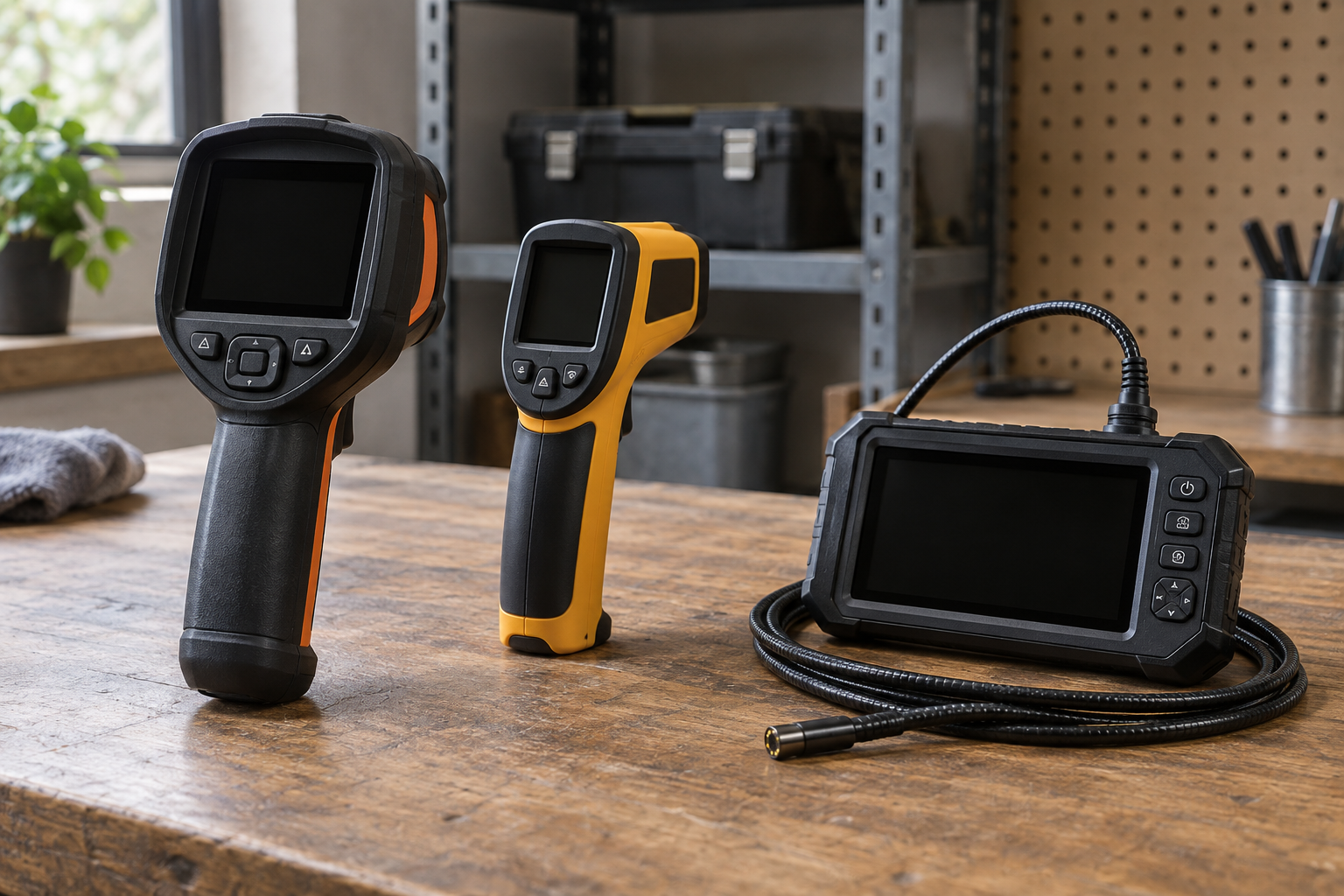
A cordless thermal camera can mean two different things: a dedicated camera that runs on a tool-brand battery, or a compact thermal attachment powered by a phone. The first suits inspection work where you want a self-contained screen and a battery you already own. The second costs less and is easier to carry, but depends on a compatible phone and its battery. Neither type can see through walls; it measures infrared energy from surfaces in view.
Before buying, check compatibility at the level of the exact product, not just the brand. Some cameras use a standard slide-on pack; others use a small battery built into the instrument. A brand’s regular tool batteries may not fit its inspection equipment. If you need a dedicated camera, browse cordless thermal cameras with tool-battery compatibility and confirm the manufacturer’s battery list before ordering.
As an Amazon Associate we earn from qualifying purchases at no extra cost to you.



Compare the main options
| Type | Best for | Main trade-off |
|---|---|---|
| Dedicated tool-platform camera | Regular electrical, HVAC, or building inspections | Higher purchase cost; battery compatibility can be limited to a specific platform |
| Phone-connected thermal attachment | Occasional checks and tight budgets | Phone compatibility, app dependence, and less convenient one-handed use |
| Standalone rechargeable camera | Users without a matching tool battery platform | Another charger and battery to maintain |
Choose by battery platform, not logo alone
If you already own a platform’s drill or impact driver, a camera that accepts its batteries may save money and simplify charging. Check whether the camera is sold bare or with a battery and charger. A bare tool is a good value only if you own a compatible pack; otherwise, the bundle price may be closer to the real cost.
Also consider pack size. A compact 2.0Ah battery is lighter and usually easier to handle on a ladder; a larger pack can extend inspection time but makes a camera more awkward to hold at arm’s length. Thermal cameras often use less power than high-draw tools, but runtime still varies with screen brightness, wireless features, and ambient temperature. Don’t assume a published runtime measured under ideal conditions will match a cold jobsite.
Read the image specifications realistically
Thermal resolution is the number of temperature-sensing pixels, not the resolution of the screen. More thermal pixels make it easier to distinguish a small hot spot from nearby surfaces, especially when inspecting from farther away. For broad checks of a breaker panel, radiant floor, or ductwork, a lower-resolution unit may be adequate. For small components or detailed reports, prioritize thermal resolution and focus performance over a large display.
Look for a stated temperature range, accuracy, and sensitivity. Accuracy is commonly quoted around ±2°C or ±2% under specified conditions; that is not a promise that every reading will be exact in every setting. Sensitivity, often listed in millikelvin (mK), describes the ability to detect small temperature differences. A lower mK figure indicates greater sensitivity, but it does not compensate for poor technique or reflective surfaces.
Emissivity matters. Painted drywall and many matte surfaces are easier to read than polished metal, which reflects infrared energy and can show a misleading temperature. When practical, measure a high-emissivity patch of tape or a non-reflective surface nearby, and compare readings rather than treating one color on the screen as proof of a fault.
Features worth paying for
For routine troubleshooting, useful features include a center-point temperature readout, adjustable emissivity, a visible-light camera, image blending, and the ability to save images with notes. A built-in visible image can help you find the exact breaker, pipe, or fitting later. If you prepare inspection reports, check export formats and whether the companion software adds measurement markers without forcing a subscription.
Do not buy on color palettes alone. A palette changes how temperature differences appear; it does not improve the underlying measurement. A camera with a simple screen and dependable controls can be better in a dusty mechanical room than one with extra wireless functions you will not use. For a low-cost starting point, a phone-connected thermal camera attachment is often enough for occasional home checks, provided your phone is explicitly supported.
When the cheaper option is enough
A phone attachment or basic standalone unit is usually sufficient for finding a missing section of underfloor heating, checking for uneven radiator output, spotting an overloaded connection, or looking for a draft-related cold patch. These are comparative tasks: you are looking for an unusual pattern, then confirming it with a suitable tool or repair professional. A thermal image alone cannot diagnose the cause.
Pay more for a dedicated, higher-resolution camera if inspections are frequent, you need repeatable documentation, or small targets matter. A cheap camera may blur two nearby components into one warm area, hide a narrow leak path, or make measurements difficult at a distance. If you only use thermal imaging a few times a year, renting a better instrument may be more sensible than buying a premium model.
Avoid common inspection mistakes
Check the camera’s minimum focus distance and field of view. A wide view is handy in a cramped room but can make a small fault occupy too few pixels. Move closer when safe, keep the camera steady, and allow equipment to reach a stable operating condition before comparing readings. Reflections from shiny pipework, windows, and metal panels can produce false hot or cold spots.
Thermal imaging also has limits around insulation and airflow. A warm wall does not prove a pipe is leaking, and a cool patch may be caused by a stud, shade, or air movement. For electrical work, follow safe access procedures and do not remove covers or approach exposed live parts just to get a clearer image. Treat an unusual reading as a lead for further testing, not a final diagnosis.
Before checkout, verify battery fit, phone or software support, warranty terms, and whether the listed price includes a battery and charger. If you need a general-purpose inspection setup rather than a specific brand ecosystem, compare handheld thermal cameras for inspection on those details first. The best buy is the least expensive camera that resolves the targets you actually inspect and fits the way you already work.
Related guides
- Longest Lasting Lawn Mower Battery: AGM vs Lithium vs Flooded Lifespan and Cost per Season
- Duralast Gold Lawn Mower Battery Review: U1 Fit, CCA and When to Pay for AGM
- Greenworks Pro 80V 21-Inch Mower Review: Runtime Math, Push vs Self-Propelled and Yard Fit
- Bosch High Pressure Washer Gun Replacement: Fittings, Adapters and What Fits Your Model