What's inside
As an Amazon Associate I earn from qualifying purchases. This post may contain affiliate links at no extra cost to you.
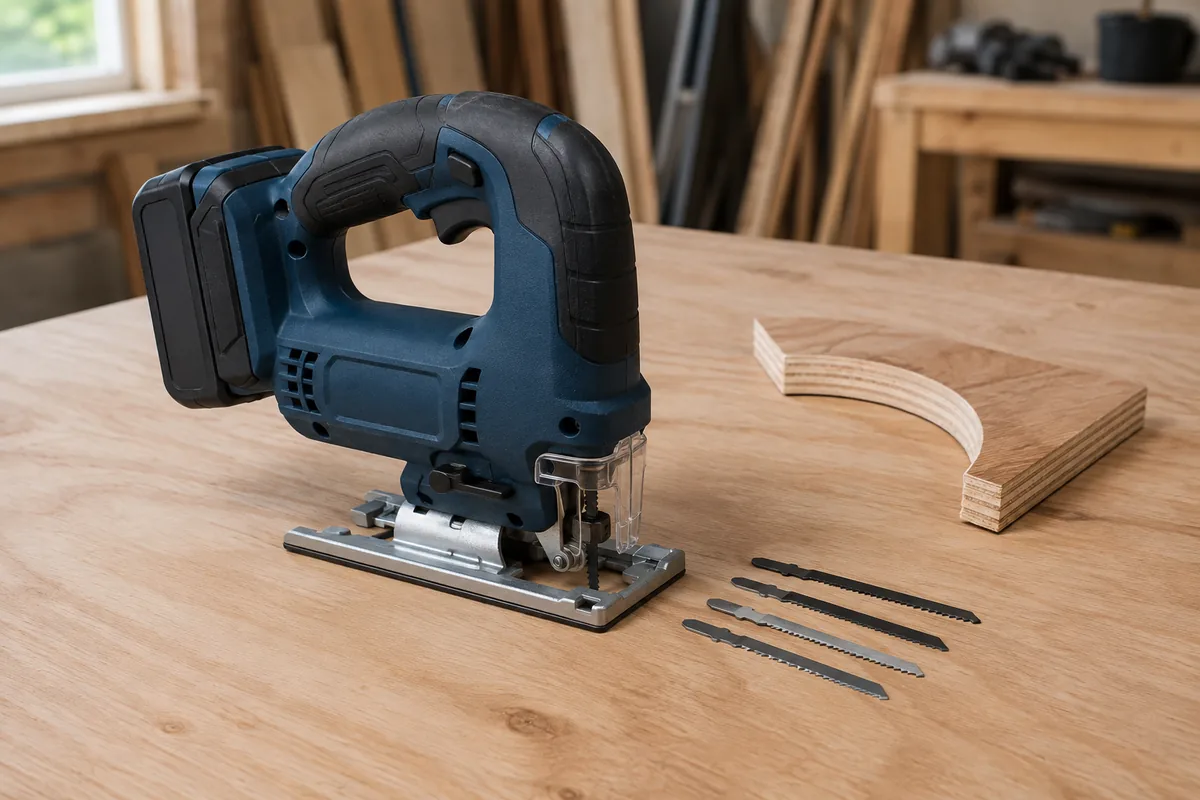
A cordless jigsaw’s orbital setting controls how aggressively the blade moves forward as it cuts. With orbital action off, the blade travels mostly straight up and down. With orbital action on, the bottom of the stroke also moves forward, producing faster cuts but a rougher edge.
The best setting depends on the material, blade, cut line, and whether you care more about speed or finish. Choosing the highest setting is a common mistake: it can tear the top surface, wander from the line, and overheat a fine blade.
What orbital action does
Most cordless jigsaws have three orbital levels plus an off position. The exact mechanism varies, but the result is similar. Higher orbital action makes the blade bite more aggressively on the upward stroke. It removes material faster and usually reduces the amount of force you need to push the tool.
The trade-off is a rougher cut. Orbital movement increases splintering, especially in plywood, melamine, laminate, and veneered panels. It can also make the saw harder to steer through a curve. On many saws, the orbital selector changes only the blade path; the variable-speed trigger still controls cutting speed.
| Job | Recommended orbital setting | Why |
|---|---|---|
| Fine cut in plywood or laminate | Off or low | Reduces splintering and improves control |
| Fast cut in construction lumber | Medium or high | Removes material quickly |
| Tight curves | Off or low | Prevents the blade from pushing sideways |
| Thick hardwood | Low or medium | Balances cutting speed with heat control |
| Metal | Off | Limits tooth damage and gives a straighter cut |
| Plastic | Off or low | Reduces melting and grabbing |
Choose the setting by material
For ordinary softwood, medium orbital action is a useful starting point. Use high orbital action when cutting quickly through framing lumber or a rough workpiece where the edge will be hidden. Keep the shoe flat on the material and let the saw advance at a steady rate. Forcing a high-orbit cut can bend the blade and produce an angled edge.
Hardwood usually needs less orbital action. Start at low and increase it only if the blade is cutting cleanly and not burning. A 1-inch-thick hardwood board may cut acceptably on medium with a sharp, coarse blade, but a dull blade and high orbit will often leave burn marks before the saw finishes the cut.
For plywood, begin with orbital action off or on the lowest setting. A sharp blade with 10 to 20 teeth per inch is generally more suitable for a clean edge than a coarse wood blade. Keep the finished face down if your saw’s blade cuts most aggressively on the upstroke, or use a reverse-tooth blade when the visible face must remain on top. Check the blade packaging before assuming the cutting direction.
Turn orbital action off for steel, aluminum, and most sheet metal. Use a fine metal-cutting blade, a slower trigger speed, and cutting lubricant where appropriate. Orbital movement makes the teeth strike the work more violently and can shorten blade life. For thin metal, clamp the material between sacrificial boards if vibration causes chatter.
Match speed, blade, and feed rate
Orbital setting is only one control. A fast blade speed with high orbit can melt plastic, burn hardwood, or strip teeth from a blade. A slow speed with too much pressure can make the tool vibrate and leave a ragged edge.
Use the blade manufacturer’s material guidance as the starting point. Coarse blades, commonly around 6 to 10 teeth per inch, clear chips quickly in thick wood but leave a rougher edge. Fine blades, often around 12 to 24 teeth per inch, make cleaner cuts in thin wood, laminate, and metal but can clog or overheat if pushed too quickly.
Feed the saw only as fast as the blade can remove material. If the motor pitch drops sharply, the base begins lifting, or the blade starts bending away from the line, reduce pressure. If the saw cuts slowly while producing dust and heat, the blade may be dull, too fine for the material, or running at an unsuitable speed.
Account for the cordless platform
A cordless jigsaw is most useful when it shares batteries with your drill, impact driver, or other tools. If you already own a platform, buying a bare tool is often cheaper than starting a second battery system. A compact battery keeps the saw lighter for overhead or detailed work; a higher-capacity pack provides longer runtime but adds weight at the rear of the tool.
For occasional trim, shelving, and small plywood projects, a 2.0Ah to 4.0Ah battery is usually sufficient. For repeated cuts in thick stock, a 5.0Ah or larger pack reduces battery changes, though it may make the jigsaw noticeably less balanced. A high-output battery can help maintain cutting performance under load, but it cannot compensate for a dull blade or excessive feed pressure.
Before buying, check whether the bare tool includes a charger, battery, dust adapter, splinter guard, or only the saw. Platform starter kits cost more initially but can be sensible if you need a charger and battery anyway. If you already have compatible packs, compare the price of a cordless jigsaw bare tool with a kit rather than automatically buying another charger.
Technique for a cleaner cut
Mark the line clearly and support the workpiece close to both sides of the cut. Clamp a straightedge when accuracy matters; a jigsaw can wander even when the blade appears aligned from above. Let the shoe remain fully supported and avoid twisting the tool at the end of a cut.
For a visible plywood edge, use orbital off or low, a sharp fine-tooth blade, and painter’s tape over the cut line. Tape helps reduce surface chipping but does not replace the correct blade. Make a short test cut in scrap from the same sheet before committing to the finished panel.
When starting inside a panel, drill a starter hole larger than the blade width or use a plunge-capable technique only if you are experienced and the saw is designed for it. A blade that contacts the material at an angle can kick the tool backward. Keep both hands on the saw when possible and wait for the blade to stop before lifting it from the cut.
What to buy
If most of your work is rough lumber, prioritize a rigid shoe, a visible cut line, tool-free blade changes, and at least three orbital levels. For furniture parts and finish panels, a model with low vibration, a dust blower, and a splinter guard matters more than maximum cutting speed. A variable-speed cordless jigsaw with orbital action is the most flexible choice.
A cheaper jigsaw is fine for a few shelves or occasional repair work, particularly if it uses batteries you already own. Spend more when you make long cuts regularly, need dependable straight tracking, or will use the tool for several hours at a time. In every price range, budget for quality blades: replacing a dull blade is usually the fastest way to improve cut quality.
Related guides
- Longest Lasting Lawn Mower Battery: AGM vs Lithium vs Flooded Lifespan and Cost per Season
- Duralast Gold Lawn Mower Battery Review: U1 Fit, CCA and When to Pay for AGM
- Greenworks Pro 80V 21-Inch Mower Review: Runtime Math, Push vs Self-Propelled and Yard Fit
- Bosch High Pressure Washer Gun Replacement: Fittings, Adapters and What Fits Your Model