What's inside
As an Amazon Associate I earn from qualifying purchases. This post may contain affiliate links at no extra cost to you.
A cordless reciprocating saw is naturally harder to control than most cordless tools. The blade moves back and forth rapidly, and that motion transfers into the housing, your hands, and the material. Vibration becomes worse when the blade is dull, the cut is unsupported, or the saw is being forced through the work.
You cannot eliminate vibration completely, but you can reduce it enough to cut more accurately, work longer, and avoid numb hands. The biggest improvements usually come from blade choice, work support, grip, and using a saw with better vibration control—not simply buying a larger battery.
Choose the Right Saw and Battery
Some cordless reciprocating saws have a counterbalance or anti-vibration mechanism that reduces the movement felt at the handles. These saws usually cost more and may be slightly heavier, but the difference is noticeable during demolition, pruning, and long cuts. A basic compact saw can be perfectly adequate for occasional pipe, branch, or lumber cuts, especially if you only use it for a few minutes at a time.
Look for a tool with a rubberized rear handle, a well-isolated front grip, variable-speed control, and an adjustable shoe. A pivoting shoe helps keep the blade engaged with the work instead of allowing the nose of the tool to bounce.
Battery size affects handling as much as runtime. A high-capacity battery can add 1 to 2 pounds to the tool, increasing wrist fatigue and making vibration feel worse. On the other hand, a very small battery may sag under heavy load, causing slower cutting and more time spent forcing the saw.
| Battery choice | Best use | Vibration and handling trade-off |
|---|---|---|
| Compact battery, roughly 1.5–3 Ah | Short cuts, overhead work, light pruning | Lightest and easiest to control, but less runtime |
| Mid-size battery, roughly 4–5 Ah | General remodeling and repeated cuts | Good balance of runtime, power, and weight |
| High-capacity battery, roughly 6–12 Ah | Heavy demolition and extended work | More runtime and less voltage sag, but adds noticeable weight |
Stay within the cordless platform you already own when possible. A compatible mid-size battery is often a better choice than buying a heavier premium pack solely for a reciprocating saw. If you are starting a new system, compare the complete cordless reciprocating saw kits, including battery weight and charger speed, not just the advertised voltage.
Use a Sharp, Correct Blade
A dull blade is one of the main causes of vibration. It requires more feed pressure, flexes in the cut, and tends to catch instead of removing material smoothly. Replace the blade when cutting slows noticeably, the teeth look rounded, or you find yourself leaning hard into the tool.
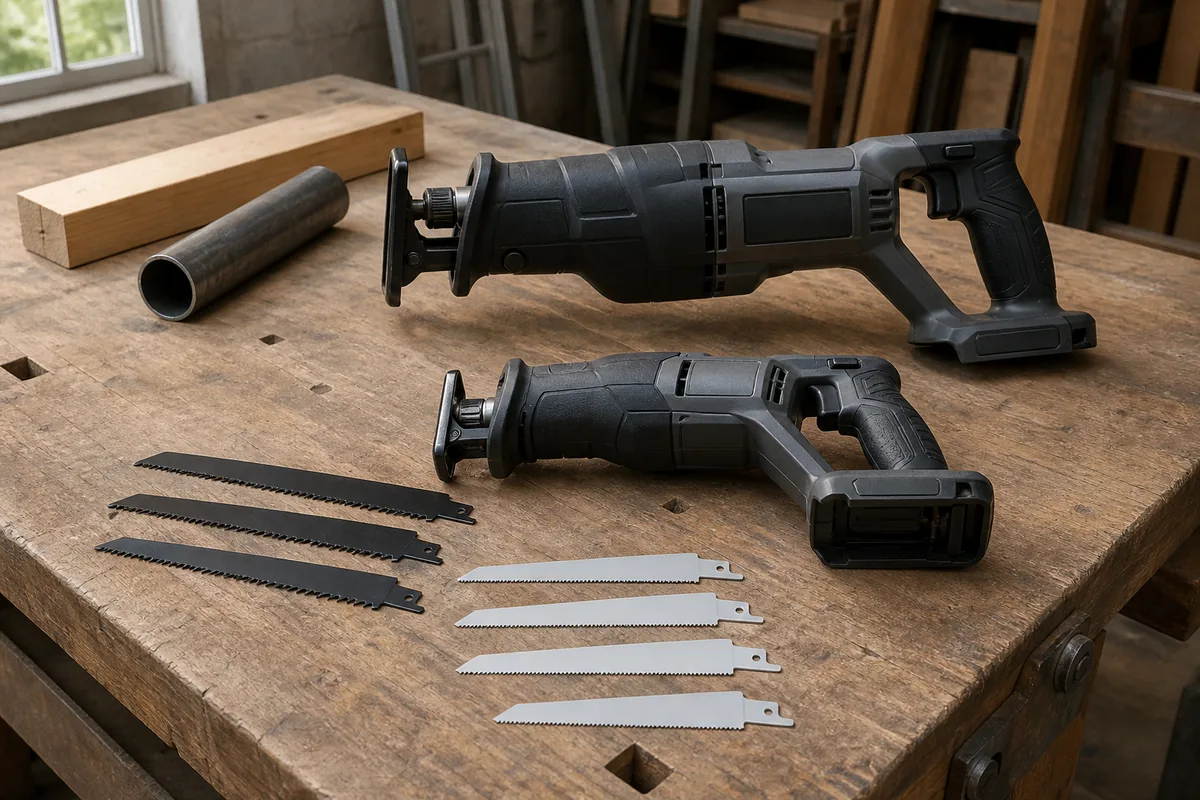
Use a blade intended for the material. Fine-tooth blades are generally smoother in thin metal, while coarse demolition blades cut wood faster and clear chips better. For nail-embedded lumber, choose a bi-metal demolition blade rather than a standard wood blade. For clean plastic cuts, use a blade with finer teeth and reduce the speed.
Blade length also matters. Use the shortest blade that gives you enough reach. An excessively long blade flexes more and creates a larger oscillating mass at the front of the saw. As a practical rule, leave about 1 to 2 inches of blade extending beyond the work when the shoe is firmly against the surface. If you need longer reach, choose a purpose-made long blade rather than running a short blade with the shoe floating.
Keep a selection of bi-metal reciprocating saw blades available. The cheaper blades are fine for dirty demolition where nails and hidden fasteners will ruin the blade anyway. Premium blades are worth the extra cost for repeated metal cutting, flush cuts, or work where a straighter cut saves material.
Support the Work and the Saw
Material that moves will amplify vibration. Clamp boards, pipes, and sheet material whenever practical. When cutting a loose board, support it close to both sides of the cut so it cannot bounce. Avoid placing the support directly under the blade path, and check that the offcut will not pinch the blade as it separates.
Keep the saw shoe pressed firmly against the material. The shoe stabilizes the tool and limits the blade’s forward and backward movement. If the shoe is not contacting the work, the saw can buck violently, especially as the blade exits the far side.
For flush cuts, angle the blade slightly and use the shoe or the side of the blade carefully as a guide. Do not twist the tool to steer the cut. Twisting loads the blade sideways, increases vibration, and can bend or break it.
Control Speed and Cutting Pressure
Start the cut at low speed, then increase speed once the teeth have established a groove. Full trigger speed is not always fastest. Thin metal, plastic, and delicate trim often cut more smoothly at a reduced speed. Wood and heavy demolition generally tolerate higher speed, but only while the blade is clearing chips instead of rubbing.
Use moderate forward pressure. You should supply enough pressure to keep the shoe against the work, but not so much that the motor slows sharply. If the tool bogs down, stalls, or produces a hot smell, back off. Excess pressure increases vibration, drains the battery, and can overheat the motor or blade.
Let the blade do the cutting. A pulsing or hammering feel usually means the teeth are catching, the blade is dull, the material is unsupported, or the shoe is not seated. Stop and correct the cause instead of gripping harder.
Improve Your Grip and Work Position
Hold the saw with both hands: one on the rear handle and one on the front grip. Keep your wrists straight and your elbows slightly bent. A firm grip is necessary, but squeezing as hard as possible transfers more vibration into your hands and causes fatigue sooner.
Stand so the saw can move in line with the cut. Do not reach far overhead or sideways if you can reposition the work. Keep the battery and motor close to your body, and avoid locking your arms. Short work periods with brief pauses are more effective than working until your hands go numb.
Wear snug, well-fitting work gloves that improve grip without making the controls difficult to operate. Anti-vibration gloves can reduce some high-frequency sensation, but they do not fix a bad blade, loose material, or an unstable stance. Hearing protection and eye protection remain essential, particularly during demolition.
When to Replace or Service the Saw
Some vibration indicates a problem rather than normal operation. Remove the battery and inspect the blade clamp, shoe, housing, and front grip if vibration suddenly increases. A loose clamp, bent blade, damaged shoe, or cracked housing can make the saw unsafe.
Also check for unusual grinding, side-to-side blade movement, burning smells, or vibration that continues with no blade installed. These symptoms can point to worn internal bearings or a damaged drive mechanism. Do not keep using the saw to see if it improves. A repair may be justified on a high-quality platform, while replacing a cheap compact saw can be the more practical option.
For occasional household cuts, a basic saw, sharp blades, and good work support are usually enough. If you regularly cut framing, cast iron, roofing, or tree branches, spend more on a tool with effective counterbalance and a comfortable front grip. You can compare anti-vibration cordless reciprocating saws, but treat the feature as one part of the decision. Blade quality and technique still determine most of the vibration you feel.
Related guides
- Longest Lasting Lawn Mower Battery: AGM vs Lithium vs Flooded Lifespan and Cost per Season
- Duralast Gold Lawn Mower Battery Review: U1 Fit, CCA and When to Pay for AGM
- Greenworks Pro 80V 21-Inch Mower Review: Runtime Math, Push vs Self-Propelled and Yard Fit
- Bosch High Pressure Washer Gun Replacement: Fittings, Adapters and What Fits Your Model