What's inside
As an Amazon Associate I earn from qualifying purchases. This post may contain affiliate links at no extra cost to you.
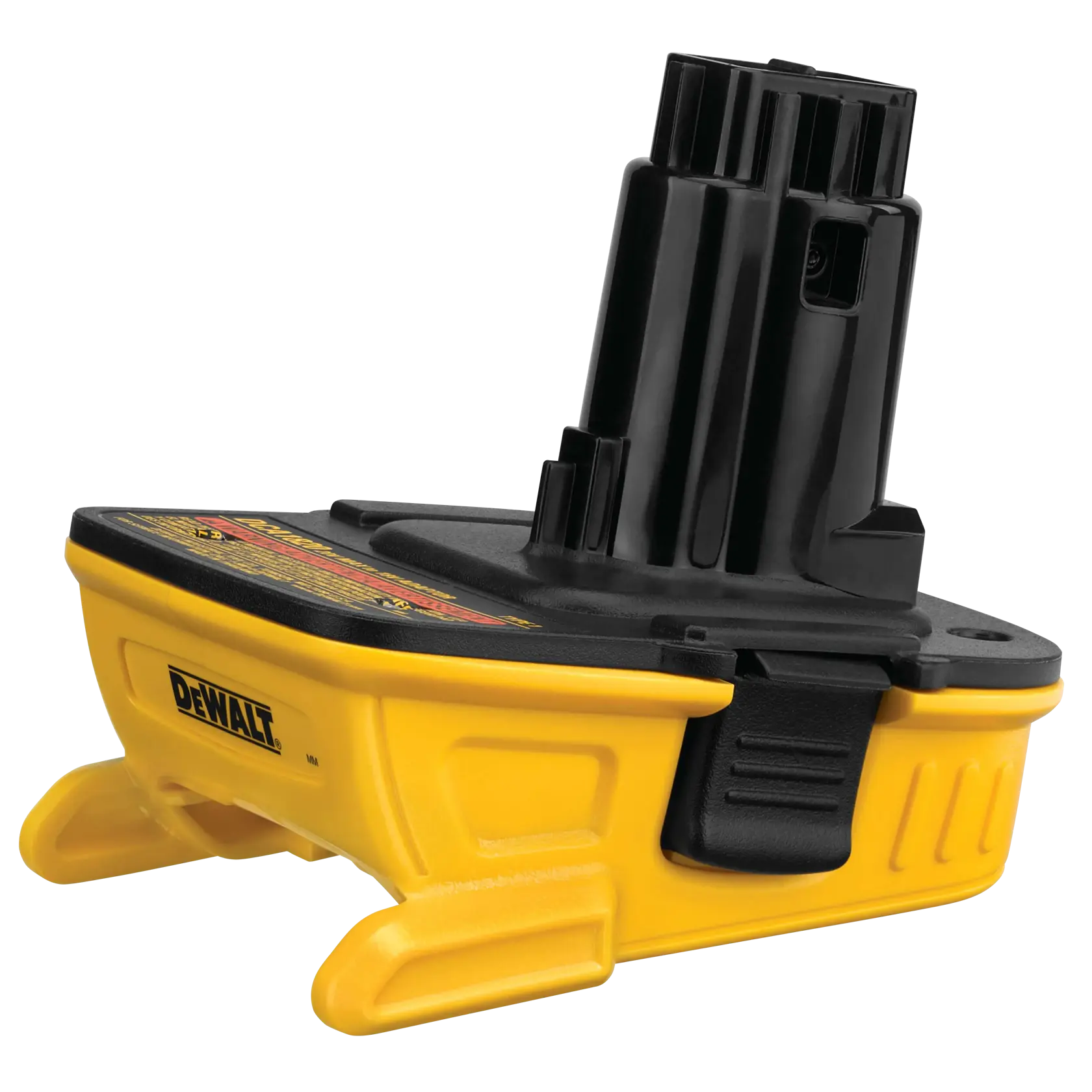
A battery adapter can make a bare tool from one cordless platform run on a battery from another. That can be useful if you own several tools from one brand and have spare batteries from another. It does not make the platforms fully compatible, though. An adapter may solve the physical connection while leaving important differences in voltage, electronics, protection and charging untouched.
The lowest-risk use is a reputable adapter that matches the battery and tool voltage, used on a modest-load tool, with the battery removed when the tool is not in use. For regular work, high-current tools or expensive batteries, a native battery is usually the safer choice.
What an adapter does—and what it does not
A basic adapter connects the battery’s positive and negative terminals to the matching terminals on a tool from another platform. It may also provide a mechanical latch. It generally does not convert voltage, increase the battery’s capacity, or make the tool and battery communicate as they would within the original ecosystem.
That last point matters. Some platforms use extra contacts for temperature sensing, identification or other control signals. An adapter that only connects the main power terminals may bypass those checks. Whether the tool still runs depends on how that tool is designed; a physical fit is not proof of safe electrical compatibility.
Check the nominal voltage printed on both the battery and tool before buying. A 20V-max battery and an 18V-nominal tool may belong to voltage classes that are often described differently by manufacturers, but labels alone are not enough to establish compatibility. Do not assume a 12V battery is suitable for an 18V tool, or vice versa. Unless the adapter maker explicitly specifies the exact battery and tool platforms, don’t use the combination.
The main compatibility and safety risks
Overcurrent and heat: A drill, saw or grinder can draw far more current under load than a light such as a work light. The adapter’s contacts and wiring must carry that current without excessive resistance. A poor connection can heat up, soften plastic and cause intermittent power. A stalled tool can make matters worse because it may keep drawing heavy current until protection intervenes—or until something overheats.
Lost protection features: The original battery and tool may share temperature or low-voltage information. An adapter can interrupt that link. The battery may still have its own protection, but don’t assume it covers every fault in every cross-brand setup. A tool that continues running after the battery is unusually hot, or after its normal low-charge cutoff behavior changes, is a reason to stop using the adapter.
Unexpected discharge: Some tools or adapters can draw a small amount of current while switched off. If a battery stays attached for days, it may drain below a healthy storage level. Remove the battery after use, especially on tools with electronic controls or a trigger that can be bumped in storage.
Charging mistakes: An adapter for running a tool is not a charger adapter. Charge a battery only with a charger approved for that battery platform. Do not use a cross-brand adapter to charge, and do not leave an improvised combination unattended. Lithium-ion batteries can become dangerous if damaged, overheated or charged incorrectly.
Adapter options compared
| Option | Best fit | Trade-off |
|---|---|---|
| Native battery for the tool | Frequent work, high-load tools, or maximum reliability | Costs more if you need a battery and charger for another platform |
| Reputable platform adapter | Occasional use when voltage and platforms are explicitly listed as compatible | May bypass communication features; adds another electrical connection |
| Low-cost generic adapter | Light-duty, infrequent use if its fit, wiring and specifications are clear | Quality and protection details can be difficult to verify |
| Homemade or modified adapter | Experienced electrical work only, with suitable design and testing | Easy to reverse polarity, create a short, or remove protection |
How to choose one
Start with the adapter maker’s compatibility list, not just the product photo. Confirm the exact battery family and tool family, voltage class, and whether the adapter is intended for that tool type. Look for sturdy, properly aligned contacts, a latch that holds the battery securely, and clear instructions about high-current tools. If the listing does not state what it supports, treat that as missing information rather than assuming broad compatibility.
For light-duty or occasional work, a well-made adapter can be a reasonable way to use a spare battery instead of buying another battery immediately. Compare the price with a cordless tool battery adapter, but don’t choose on price alone. If you use a saw, grinder, rotary hammer or other tool that regularly draws heavy current, stick with the tool’s native battery system unless the adapter is specifically rated for that use.
Check reviews for reports of loose fit, overheating, cutouts under load and batteries that will not release. Reviews cannot establish electrical safety, but repeated reports of hot contacts or a poor latch are useful warning signs. Avoid adapters with exposed wiring, cracked housings or unexplained claims that they “work with all brands.”
Using an adapter with less risk
Inspect the adapter and battery before each use. Don’t use them if the case is cracked, a contact is bent or corroded, or the battery has been dropped hard or exposed to water. Fit the battery fully and check that it locks. Keep metal objects away from exposed contacts; a short across a lithium-ion battery can cause a rapid, dangerous current surge.
For the first run, use a light load for a few minutes and stop to check for unusual warmth, odor, flickering or cutouts. Warmth alone is not a precise temperature test, but a hot adapter or battery, softening plastic, burning smell or repeated shutdown means stop immediately. Let the battery cool in a safe place, then inspect the setup; do not keep restarting the tool to see if it will work.
Use the tool as intended, keep vents clear and avoid forcing a blade or bit until the motor stalls. Remove the battery before changing accessories, clearing a jam or storing the tool. If you need a dependable setup every day, a replacement battery for the tool’s own platform costs more up front but avoids the adapter’s extra contacts and compatibility uncertainty.
When to skip the adapter
Skip it if the voltage is unclear, the battery or tool platform is not listed, the tool requires communication the adapter may bypass, or the adapter gets hot or cuts out. Don’t use an adapter to defeat a damaged battery, a faulty charger or a tool’s safety interlock. For an occasional low-load task, a verified adapter may save money. For demanding work, repeated daily use or a job where a sudden shutdown could cause injury, use a native battery and charger.
Related guides
- Longest Lasting Lawn Mower Battery: AGM vs Lithium vs Flooded Lifespan and Cost per Season
- Duralast Gold Lawn Mower Battery Review: U1 Fit, CCA and When to Pay for AGM
- Greenworks Pro 80V 21-Inch Mower Review: Runtime Math, Push vs Self-Propelled and Yard Fit
- Bosch High Pressure Washer Gun Replacement: Fittings, Adapters and What Fits Your Model