
What's inside
- What Is a DEWALT 1/4-Inch Impact Driver?
- What Does 1/4 Inch Mean on a DEWALT Impact Driver?
- How to Use a DEWALT 1/4 Impact Driver
- Choosing the Right Bits for a DEWALT 1/4 Impact Driver
- What Jobs Can a DEWALT 1/4 Impact Driver Handle?
- DEWALT Impact Driver vs. Drill Driver vs. Impact Wrench
- Common Mistakes to Avoid
- Safety and Maintenance Tips
- Frequently Asked Questions
- Final Verdict
- What Is a DEWALT 1/4-Inch Impact Driver?
- What Does 1/4 Inch Mean on a DEWALT Impact Driver?
- How to Use a DEWALT 1/4 Impact Driver
- Choosing the Right Bits for a DEWALT 1/4 Impact Driver
- What Jobs Can a DEWALT 1/4 Impact Driver Handle?
- DEWALT Impact Driver vs. Drill Driver vs. Impact Wrench
- Common Mistakes to Avoid
- Safety and Maintenance Tips
- Frequently Asked Questions
- Final Verdict
As an Amazon Associate I earn from qualifying purchases. This post may contain affiliate links at no extra cost to you.
A DEWALT 1/4 impact driver is a cordless fastening tool designed to drive screws, construction fasteners, and compatible bolts with repeated rotational impacts. Its 1/4-inch hex quick-release chuck accepts compatible hex-shank accessories, making it particularly useful for construction, woodworking, cabinet installation, and general home improvement.
However, choosing the correct bit, controlling the trigger, and understanding the tool’s limitations are essential for getting good results. An impact driver is not simply a more powerful drill. Its impact mechanism, chuck design, and operating characteristics make it better suited to certain jobs than others.
This guide explains what the 1/4-inch designation means, how to use a DEWALT impact driver, which accessories to choose, and when a regular drill or impact wrench is a better option.
What Is a DEWALT 1/4-Inch Impact Driver?
A DEWALT 1/4-inch impact driver is a power tool that combines rotational movement with repeated mechanical impacts to drive fasteners. The 1/4-inch measurement refers to the hexagonal accessory interface, not the maximum screw diameter the tool can handle.
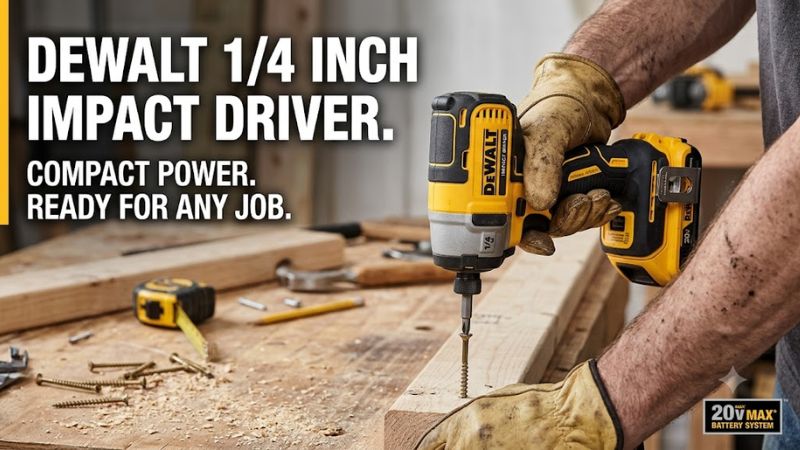
Unlike a conventional drill driver, an impact driver uses an internal hammer-and-anvil mechanism. When resistance increases, the mechanism delivers rotational impacts that help turn the fastener.
This design makes the tool useful for:
- Driving long wood screws into framing lumber.
- Installing construction and deck screws.
- Fastening compatible self-tapping metal screws.
- Assembling furniture and installing cabinet hardware.
- Driving suitable lag screws with appropriate preparation.
- Removing certain stubborn screws and compatible fasteners.
DEWALT offers different impact driver models with varying sizes, motors, speed settings, and battery platforms. For example, the DCF850 ATOMIC 20V MAX is a compact brushless model with a three-speed operating system.
Specifications should always be checked against the exact model rather than assumed to apply to every DEWALT 1/4-inch impact driver.
What Does 1/4 Inch Mean on a DEWALT Impact Driver?
The 1/4-inch measurement describes the hex-shank accessory holder. It is commonly called a 1/4-inch hex chuck or quick-release chuck.
This interface is designed for compatible accessories such as:
- Phillips screwdriver bits.
- Torx screwdriver bits.
- Square-drive bits.
- Impact-rated nut drivers.
- Compatible hex-shank drill bits.
- Approved impact-rated extensions.
The quick-release mechanism makes changing accessories convenient. Most compatible bits can be inserted directly into the chuck without using a conventional chuck key.
However, a standard round-shank drill bit cannot be installed directly into the usual 1/4-inch hex holder. A suitable adapter may allow certain drilling accessories to be used, but the resulting setup must still be compatible with the tool and intended application.
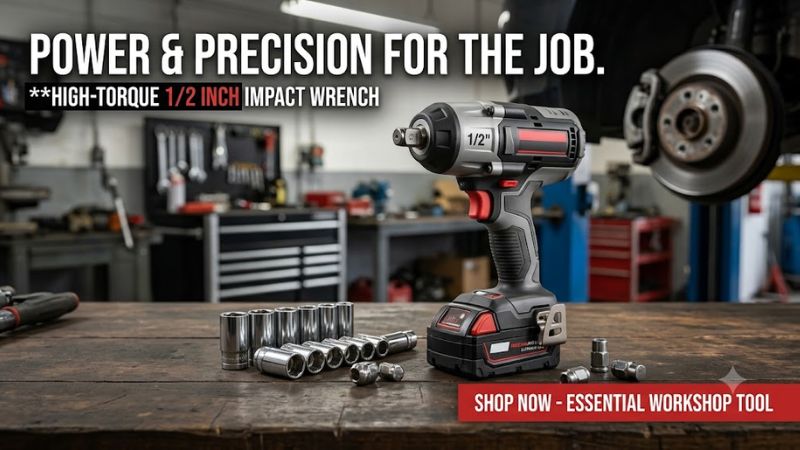
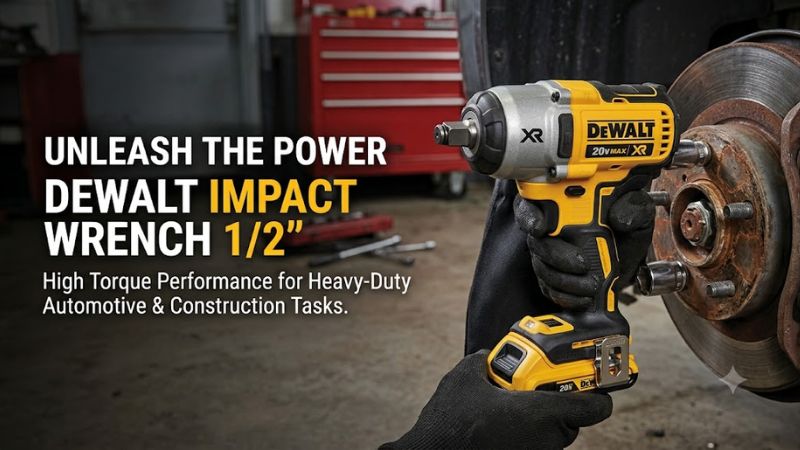
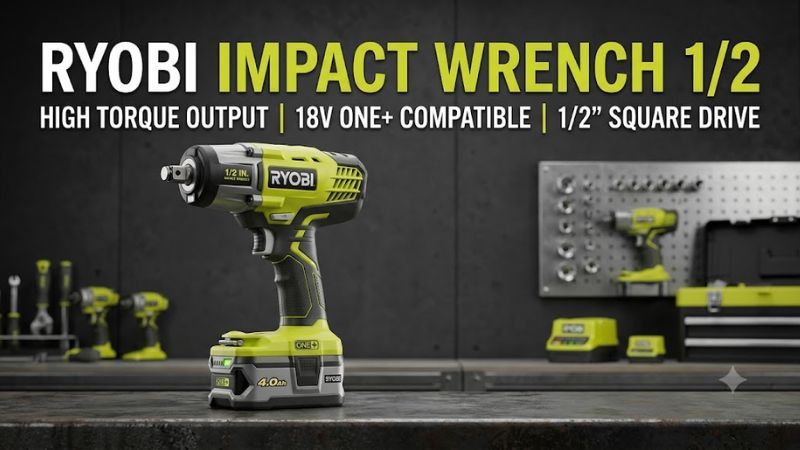
Another important distinction is the difference between an impact driver and an impact wrench. An impact driver generally uses a 1/4-inch hex interface for screwdriver bits, while an impact wrench typically uses a square-drive anvil for sockets and heavier nut-and-bolt applications.
How to Use a DEWALT 1/4 Impact Driver
Correct operation involves selecting a suitable accessory, checking the direction selector, choosing an appropriate operating mode, and applying controlled trigger pressure.
The following instructions use the DCF850 as a reference. Other models may have different controls and operating modes.
Step 1: Inspect the Tool and Battery
Before starting, examine the impact driver and battery pack.
Check the housing for cracks, inspect the chuck for visible damage, and make sure the battery has no signs of swelling, leakage, or physical damage.
Confirm that the battery belongs to the correct DEWALT voltage platform. A 20V MAX tool, for example, requires a compatible 20V MAX battery system.
Install the battery securely and check that it is properly seated.
Do not operate a damaged tool or battery. Remove the battery before performing inspections that involve accessories or moving components.
Step 2: Choose the Correct Impact Bit
Select a bit that matches both the screw head and the material being fastened.
For example, a Torx screw requires the corresponding Torx bit size. Using an incorrectly sized bit can cause slipping, damaged recesses, and premature accessory wear.
Choose accessories specifically rated for impact-driver use. Standard screwdriver bits may not withstand repeated impact loading.
Before installing or removing an accessory:
- Release the trigger.
- Move the forward/reverse selector into its center lock-off position.
- Remove the battery.
- Operate the quick-release collar according to the model’s instructions.
- Insert the compatible hex-shank bit fully.
- Release the collar and check that the bit is retained securely.
Never operate the tool with a loose or partially inserted accessory.
Step 3: Select the Rotation Direction
DEWALT impact drivers typically include a forward/reverse selector.
| Position | Function | Application |
| Forward | Clockwise rotation | Driving screws |
| Reverse | Counterclockwise rotation | Removing screws |
| Center | Trigger lock-off | Accessory changes and carrying |
Release the trigger before changing direction.
Check the selector before contacting the fastener. Starting in the wrong direction can damage the screw head or move the fastener unexpectedly.
Step 4: Select the Appropriate Speed Mode
Some DEWALT impact drivers provide multiple speed or operating modes.
The DCF850, for example, has three settings:
| Mode | Maximum no-load speed | Typical application |
| Mode 1 | 1,000 RPM | Light and delicate fastening |
| Mode 2 | 2,800 RPM | General fastening |
| Mode 3 | 3,250 RPM | Faster fastening applications |
These figures are manufacturer specifications for the DCF850, not universal ratings for all DEWALT impact drivers.
Start with a lower setting when installing small screws, working with delicate materials, or fastening near finished surfaces. Increase the setting only when the application requires it.
The DCF850 also includes Precision Drive functionality intended to provide better control during certain light fastening operations.
Step 5: Position the Driver Correctly
Place the bit directly against the screw head and align the tool with the fastener.
Maintain firm contact between the bit and screw recess. Hold the handle securely and avoid positioning your hands near the rotating chuck.
For wood applications, determine whether a pilot hole is necessary. Hardwood, large screws, and fasteners installed near board edges may require predrilling to reduce splitting.
Keep the workpiece secured with clamps or another suitable support. Never rely on one hand to hold an unstable workpiece while operating the driver with the other.
Step 6: Drive the Fastener With Controlled Pressure
Press the variable-speed trigger gradually rather than immediately applying maximum speed.
Keep the bit engaged with the screw head while the fastener moves into the material.
As the screw approaches the surface, reduce trigger pressure and monitor its depth.
Stop when the fastener reaches the intended position. Continuing to operate the impact driver after the screw is seated can strip threads, damage the workpiece, or recess the screw too deeply.
For joints requiring a specified tightening torque, use a calibrated torque wrench. Trigger duration and advertised maximum impact-driver torque are not reliable substitutes for measured fastener torque.
Step 7: Inspect the Finished Work
After fastening, release the trigger and allow the accessory to stop completely.
Check that the screw is properly seated, the head is undamaged, and the surrounding material has not split.
If the screw is crooked, stripped, or excessively recessed, stop and assess the problem before continuing. Repeatedly applying more impact force will not correct incorrect alignment or damaged threads.
Choosing the Right Bits for a DEWALT 1/4 Impact Driver
The correct accessory improves fastening accuracy and reduces the likelihood of breakage.
| Bit type | Common application | Selection advice |
| Phillips | General screws | Match the exact bit size |
| Torx | Construction and decking screws | Choose the correct Torx profile |
| Square drive | Wood construction fasteners | Match the screw recess |
| Impact nut driver | Hex-head screws and fasteners | Verify the required size |
| Impact-rated drill bit | Compatible drilling tasks | Check shank and material compatibility |
| Impact extension | Recessed fastening | Use an approved impact-rated extension |
Why Should You Use Impact-Rated Bits?
Impact drivers produce repeated rotational impacts that place additional stress on accessories.
Ordinary bits may wear, deform, or break when used in applications involving repeated impact loading.
Impact-rated bits are designed for these conditions and are generally a more appropriate choice.
Before purchasing an accessory, check its shank dimensions, intended application, impact rating, and manufacturer compatibility.
Do not assume that every hex-shank accessory is suitable simply because it fits the chuck.
What Jobs Can a DEWALT 1/4 Impact Driver Handle?
Driving Long Screws Into Wood
Driving construction screws is one of the most common uses for a DEWALT impact driver.
The impact mechanism helps turn fasteners when resistance increases, making it useful for framing, decking, and general woodworking.
Choose a screw designed for the material and application. Use an appropriate pilot hole when required, especially with hardwood or fasteners installed near board edges.
Cabinet Installation and Furniture Assembly
A compact impact driver can help with repetitive fastening and restricted-access applications.
However, cabinet panels, hinges, and small furniture fasteners can be damaged by excessive force.
Use a low-speed setting where available and avoid driving small screws too aggressively. A conventional drill driver with an adjustable clutch may provide better control for delicate assembly.
Fastening Into Metal
A DEWALT impact driver can install compatible self-tapping screws and other approved metal fasteners.
Choose screws designed for the metal thickness and application. Maintain proper alignment and stop when the fastener is seated.
Excessive impact can strip threads or damage thin sheet metal.
Light Drilling Applications
With compatible impact-rated hex-shank drill bits, an impact driver can perform certain drilling tasks.
However, it is not a complete substitute for a conventional drill.
A drill driver is generally preferable when the job requires precise speed control, larger round-shank drill bits, frequent drilling, or an adjustable clutch.
DEWALT Impact Driver vs. Drill Driver vs. Impact Wrench
Although these tools can overlap in certain applications, they have different primary purposes.
| Feature | Impact driver | Drill driver | Impact wrench |
| Drive interface | 1/4-inch hex | Adjustable chuck | Usually square drive |
| Primary purpose | Screw fastening | Drilling and fastening | Nut-and-bolt fastening |
| Impact mechanism | Rotational impacts | Usually none | Rotational impacts |
| Clutch | Usually no adjustable drill clutch | Commonly included | Model-dependent |
| Common accessories | Impact-rated bits | Drill and driver bits | Impact sockets |
| Best use | Construction screws | General drilling | Mechanical fastening |
Can a DEWALT 1/4 Impact Driver Remove Lug Nuts?
A standard 1/4-inch hex impact driver is generally not the appropriate tool for removing vehicle lug nuts.
Lug nuts can require substantial breakaway force, particularly when corroded or previously tightened incorrectly.
Use an appropriately rated impact wrench with compatible impact sockets, or a suitable breaker bar. Follow the vehicle manufacturer’s wheel-fastener procedures and tightening specifications.
A socket adapter does not automatically make a 1/4-inch impact driver suitable for automotive wheel service.
Common Mistakes to Avoid
Several operating mistakes can reduce fastening quality and damage accessories.
| Common mistake | Possible result | Better practice |
| Using ordinary screwdriver bits | Bit breakage | Select impact-rated bits |
| Applying full trigger pressure immediately | Damaged screw heads | Start gradually |
| Holding the tool at an angle | Slipping and stripped screws | Maintain alignment |
| Using the wrong bit size | Damaged fastener recess | Match the bit to the screw |
| Overdriving screws | Damaged threads or material | Stop at the intended depth |
| Using an incompatible battery | Tool compatibility problems | Verify the voltage platform |
| Using the driver for lug nuts | Unsuitable fastening setup | Choose an impact wrench |
Safety and Maintenance Tips
A DEWALT impact driver contains moving mechanical components and produces repeated rotational impacts. Proper operating practices help reduce the risk of injury and equipment damage.
Essential Safety Precautions
Wear appropriate eye protection and hearing protection. Secure the workpiece before fastening, maintain stable footing, and keep hands away from the rotating accessory.
Avoid loose clothing and jewelry that could become caught in moving components.
Before drilling or driving fasteners into walls, floors, or other concealed structures, check for hidden electrical wiring and pipes.
If a fastener could contact live wiring, the metal components of the tool may become energized. Follow the manufacturer’s electrical safety instructions and use appropriate precautions.
Never operate the tool in wet conditions or near flammable liquids and gases unless the equipment is specifically approved for that environment.
Battery Care
Use battery packs and chargers approved for the exact DEWALT voltage platform.
The 20V MAX designation refers to maximum initial voltage without a workload; its nominal voltage is 18V.
Keep battery terminals away from metal objects, protect battery packs from excessive heat, and do not use damaged or modified batteries.
Remove the battery before changing accessories, cleaning the tool, or performing inspections.
Cleaning and Inspection
After use, remove the battery and inspect the tool.
Check the chuck, housing, ventilation openings, and accessories for visible damage or accumulated debris.
For the DCF850, DEWALT recommends cleaning dust from air vents with clean, dry air at least once a week. Its manual also advises against using harsh chemical solvents on non-metallic components.
Other models may have different maintenance requirements, so follow the instructions supplied with your exact tool.
Stop using the impact driver if the trigger malfunctions, the chuck fails to retain accessories, or the tool produces unusual noises, smoke, or persistent abnormal heating. Arrange inspection by an authorized service provider.
Frequently Asked Questions
1. What does 1/4 inch mean on a DEWALT impact driver?
The 1/4-inch measurement refers to the hex-shank accessory interface used by the quick-release chuck. It does not specify the maximum screw diameter or fastening capacity.
2. Can I use regular drill bits in a DEWALT 1/4 impact driver?
You can use compatible impact-rated hex-shank drill bits, but standard round-shank drill bits do not fit directly into the normal 1/4-inch hex chuck. A suitable adapter may provide another option for compatible applications.
3. Is a DEWALT impact driver better than a regular drill?
A DEWALT impact driver is generally better for repetitive screw fastening and driving longer fasteners, while a regular drill is more versatile for drilling holes and controlled fastening. The right choice depends on the material and task.
4. Can a DEWALT 1/4 impact driver remove lug nuts?
A standard 1/4-inch hex impact driver is generally unsuitable for vehicle lug nuts. Use an appropriately rated impact wrench with compatible impact sockets or a suitable breaker bar.
Final Verdict
A DEWALT 1/4 impact driver is a useful tool for DIY enthusiasts, contractors, and homeowners who regularly work with screws and construction fasteners.
Its 1/4-inch hex quick-release chuck provides convenient accessory changes, while the rotational impact mechanism helps drive fasteners when resistance increases.
For the best results, use impact-rated bits, select the correct operating mode, maintain proper alignment, and control trigger pressure. Check battery compatibility and follow the instructions for your specific model.
If your main tasks involve installing construction screws, assembling projects, or completing repetitive fastening work, a DEWALT 1/4-inch impact driver is a practical addition to your toolkit. For frequent precision drilling, choose a drill driver. For heavier automotive fastening, use an appropriately rated impact wrench.


Write Your Review
No reviews yet. Be the first to share your experience!