What's inside
As an Amazon Associate I earn from qualifying purchases. This post may contain affiliate links at no extra cost to you.
The best 240Hz ultrawide gaming monitors for competitive esports are the Samsung Odyssey OLED G9 for maximum horizontal view, the LG UltraGear 45GS95QE for a large 21:9 field of view, and the ASUS ROG Swift OLED PG49WCD for a feature-rich 32:9 setup—but the right choice depends more on pixel density, response consistency, and graphics-card bandwidth than on the 240Hz number alone.
As an Amazon Associate we earn from qualifying purchases at no extra cost to you.


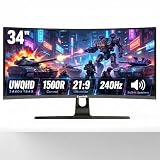

Quick comparison
| Monitor | Panel and format | Resolution / refresh rate | Response specification | Approximate weight | Best suited to |
|---|---|---|---|---|---|
| Samsung Odyssey OLED G9 G95SC/G93SC | 49-inch QD-OLED, 32:9 | 5120 × 1440 at 240Hz | 0.03ms GtG class | About 11kg without stand | Racing, simulation, and players who want maximum peripheral view |
| ASUS ROG Swift OLED PG49WCD | 49-inch QD-OLED, 32:9 | 5120 × 1440 at 240Hz | 0.03ms GtG class | About 8.5kg without stand | Competitive play with strong connectivity and desk management |
| LG UltraGear 45GS95QE | 45-inch WOLED, 21:9 | 3440 × 1440 at 240Hz | 0.03ms GtG class | About 7.4kg without stand | Players who prefer a conventional ultrawide shape and very high speed |
| Corsair XENEON FLEX 45WQHD240 | 45-inch flexible WOLED, 21:9 | 3440 × 1440 at 240Hz | 0.03ms GtG class | About 10.9kg without stand | Users who want to switch between flat and curved viewing |
| AOC AGON PRO AG456UCZD | 44.5-inch OLED, 21:9 | 3440 × 1440 at 240Hz | 0.03ms GtG class | About 9kg without stand | High-refresh ultrawide gaming at a potentially lower market price |
Weights and response figures are manufacturer-listed or commonly published specifications and can vary slightly by regional version. A 0.03ms OLED figure describes pixel transition capability under a stated measurement method; it does not mean every transition is equally fast in every game.
What matters most for competitive esports
Refresh-rate consistency beats the headline maximum
At 240Hz, a new frame arrives every 4.17 milliseconds. That is valuable only when the computer can deliver a frame rate close to 240fps. If a game runs at 150–190fps, adaptive sync can smooth the experience, but the monitor is not providing the same motion cadence as a locked 240fps signal.
For esports, check whether the monitor maintains its advertised refresh rate over the intended connection. A 5120 × 1440 signal at 240Hz is substantially more demanding than 3440 × 1440 at 240Hz. DisplayPort bandwidth, compression support, graphics-card output, and the included cable all matter. Do not assume an older graphics card can drive a 49-inch 32:9 display at its maximum setting simply because it can run a 240Hz 16:9 monitor.
Response time and overshoot
OLED panels generally have a major advantage over fast LCD panels for dark-to-light and light-to-dark transitions. They do not need the aggressive overdrive tuning that can create bright halos or inverse ghosting on some LCD monitors. For tracking targets, this can make motion look cleaner even when the frame rate fluctuates.
OLED behavior is not perfect. Near-black transitions can still show visible trailing in dark scenes, and low frame rates may look less consistent than a locked competitive frame rate. Use the monitor’s fastest sensible response mode rather than automatically selecting an extreme mode that may introduce overshoot. On OLED models, the normal or default response setting is often the safest starting point.
Panel type: QD-OLED versus WOLED
QD-OLED models such as the Samsung Odyssey OLED G9 and ASUS PG49WCD typically offer vivid color and excellent contrast, with no conventional backlight blooming. WOLED models such as the LG 45GS95QE and Corsair XENEON FLEX also provide near-instantaneous pixel response and deep blacks, but their color-volume behavior and text rendering can differ.
For esports, both technologies are fast enough. The practical differences are viewing distance, brightness behavior, text clarity, subpixel layout, and the room’s lighting. If you use the monitor for coding or detailed desktop work, inspect text at your normal distance before committing. OLED subpixel layouts can produce colored fringing around small text on some operating systems and applications.
Best pick by playing situation
| Your situation | Best direction | Why | Main compromise |
|---|---|---|---|
| Mostly first-person shooters and limited desk depth | 45-inch 21:9 OLED, such as the LG 45GS95QE | 3440 × 1440 is easier to drive than 5120 × 1440, while 21:9 remains widely supported | Lower pixel density than a 34-inch 3440 × 1440 monitor |
| Racing, flight simulation, or productivity beside gaming | 49-inch 32:9 OLED, such as the Samsung Odyssey OLED G9 | 5120 × 1440 provides a broad continuous field of view | Requires a wide desk and a powerful graphics card |
| Competitive gaming plus many connected devices | ASUS ROG Swift OLED PG49WCD | Useful connectivity and desktop-oriented features alongside 240Hz OLED performance | Large physical footprint and premium pricing |
| Want adjustable curvature | Corsair XENEON FLEX 45WQHD240 | Can be positioned flatter for desktop work or curved for immersion | Flex hardware adds cost and requires careful handling |
| Want 240Hz ultrawide OLED at a lower market range | AOC AGON PRO AG456UCZD | Provides the key 3440 × 1440, 240Hz, OLED combination | Check local availability, warranty terms, and included features |
32:9 versus 21:9 for competitive play
A 32:9 display gives substantially more horizontal information. That is excellent in racing games, strategy titles, open-world games, and multitasking. In supported games, peripheral vision can help you notice movement earlier. However, some competitive games limit ultrawide field of view, add side bars, or treat extra horizontal space differently from standard formats. Check the rules and display behavior of the specific games you play before paying for the larger format.
A 21:9 monitor is the safer esports choice. It is easier to place on a normal desk, easier for a GPU to drive, and more commonly supported without unusual interface scaling. The 45-inch LG and Corsair models are physically immersive, but their 3440 × 1440 resolution spreads across a large panel. At roughly 83 pixels per inch, they look less sharp than a 34-inch 3440 × 1440 monitor, which is around 110 pixels per inch.
That density difference is visible in small text and fine aiming interfaces. Sit farther away from a 45-inch model, or use a moderate operating-system scale rather than placing it very close to your face.
Adaptive sync and input-lag setup
Look for compatible variable-refresh-rate support, typically through DisplayPort and HDMI. Adaptive sync reduces tearing when frame rates move below the panel’s maximum refresh rate, but it does not remove the need for sensible frame-rate control.
- Connect through the port that supports the required resolution and 240Hz mode.
- Enable 240Hz in the operating system and in the graphics driver; many monitors initially default to 60Hz.
- Enable adaptive sync in the monitor menu and graphics driver.
- Set a frame-rate cap slightly below the refresh ceiling, such as 237fps for a 240Hz target, if your system can sustain it.
- Turn off motion blur, dynamic contrast, and unnecessary image processing.
- Test a dark game scene and a bright tracking scene separately, because OLED transitions can look different depending on brightness and color.
The cap is not a universal rule. If the computer cannot hold roughly 237fps, use a cap that it can sustain—such as 180fps or 200fps—and prioritize stable frame delivery over short bursts to 240fps. A consistent 180fps experience can feel better than a frame rate oscillating between 120fps and 240fps.
Ownership realities: OLED care and desk planning
OLED panels can experience image retention and permanent burn-in after prolonged display of static elements. Esports interfaces often contain fixed health bars, minimaps, scoreboards, and logos, so vary content when practical. Keep the panel’s pixel-shift, panel-refresh, and automatic screen-protection features enabled. Do not interrupt a panel-refresh cycle unless the monitor instructs you to do so.
Use a plain, clean microfiber cloth for dust. Avoid spraying liquid directly onto the screen, abrasive cleaners, paper towels, and pressure on the panel. The first things likely to cause trouble are not the OLED pixels themselves but dust, fingerprints, damaged cables, unstable stands, and poor ventilation. Large 45- and 49-inch monitors also need a desk with enough depth for viewing distance and enough width for the stand; measure the stand footprint before purchase.
Prices vary widely by region and sales period. As a general market guide, 45-inch 240Hz OLED ultrawides often occupy the upper-midrange to premium category, while 49-inch 32:9 OLED models usually cost more. Factor in a suitable graphics card, a certified high-bandwidth cable, and possibly a monitor arm—not just the display’s advertised price.
Final recommendation
Choose the LG UltraGear 45GS95QE or AOC AGON PRO AG456UCZD if your priority is fast 21:9 esports play and your system is better suited to 3440 × 1440. Choose the Samsung Odyssey OLED G9 if your games benefit from extreme horizontal vision and your desk and GPU can support 5120 × 1440 at 240Hz. Choose the ASUS PG49WCD when connectivity and desktop flexibility matter as much as speed. The Corsair XENEON FLEX 45WQHD240 is the specialist option for users who value adjustable curvature.
Whichever model you select, confirm that your games support the chosen aspect ratio, your graphics card can sustain the target frame rate, and the monitor’s protection features fit your daily usage. Those details determine competitive consistency more than a response-time number printed on the box.