What's inside
- What Is a BLACK+DECKER Angle Grinder Used For?
- Which BLACK+DECKER Angle Grinder Should You Choose?
- How to Choose the Correct Disc for a BLACK+DECKER Angle Grinder
- How to Use a BLACK+DECKER Angle Grinder Safely
- Common BLACK+DECKER Angle Grinder Problems
- Maintenance and Finding the Correct Manual
- Frequently Asked Questions
- Final Verdict
- What Is a BLACK+DECKER Angle Grinder Used For?
- Which BLACK+DECKER Angle Grinder Should You Choose?
- How to Choose the Correct Disc for a BLACK+DECKER Angle Grinder
- How to Use a BLACK+DECKER Angle Grinder Safely
- Common BLACK+DECKER Angle Grinder Problems
- Maintenance and Finding the Correct Manual
- Frequently Asked Questions
- Final Verdict
As an Amazon Associate I earn from qualifying purchases. This post may contain affiliate links at no extra cost to you.
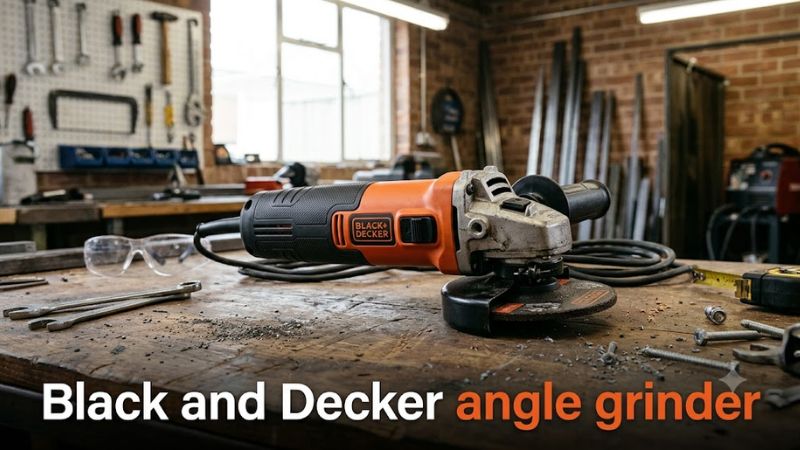
A BLACK+DECKER angle grinder can be a practical tool for grinding metal, removing rust, smoothing welds, and cutting suitable materials when equipped with the correct disc. The right model depends on the material, the depth of cut required, how frequently you work, and whether you prefer a corded or cordless tool.
For many homeowners and DIY users in the US, the BLACK+DECKER BDEG400 4-1/2-inch, 6-amp angle grinder is a relevant starting point. It is a corded model rated at 10,000 RPM, with a metal gear case, a three-position side handle, and a spindle lock. Its compact disc size suits many light-duty workshop and home-improvement tasks, although it is not a substitute for a larger grinder when deeper cuts or sustained heavy work are required.
The important distinction is that BLACK+DECKER sells different angle grinders for different markets. Model numbers, disc dimensions, electrical ratings, included accessories, and available guards can vary. Always identify the exact model and consult its manual before purchasing accessories or beginning a job.
What Is a BLACK+DECKER Angle Grinder Used For?
An angle grinder uses a rapidly rotating abrasive or other approved accessory to remove material. Depending on the grinder’s specifications and the accessory fitted, it can handle several common DIY applications.
| Application | Appropriate accessory | Important consideration |
| Removing surface rust | Suitable wire wheel or abrasive accessory | Verify accessory compatibility and rated speed; control flying debris |
| Grinding welds | Rated grinding wheel | Use the specified grinding guard and avoid excessive pressure |
| Cutting steel bar or metal pipe | Compatible abrasive cut-off wheel | Use the correct cutting guard and support the workpiece securely |
| Smoothing rough metal edges | Grinding wheel or suitable abrasive disc | Avoid damaging the workpiece with excessive material removal |
| Cutting masonry | Manufacturer-approved masonry-compatible cutting accessory | Check the tool’s instructions, guard requirements, and dust-control needs |
| Surface preparation | Compatible abrasive or sanding accessory | Use only an approved accessory and its required guard or backing pad |
A grinder is not automatically suitable for every material simply because a compatible-looking disc fits the spindle. The accessory must be designed for the intended material and operation, match the grinder’s mounting dimensions, and have a maximum rated speed at least as high as the tool’s no-load speed.
Never use a cut-off wheel for side grinding. Thin cutting wheels are designed primarily to cut through material, and side loading can cause them to break.
Which BLACK+DECKER Angle Grinder Should You Choose?
The best choice depends on your workload and location. The following examples illustrate the main categories to consider rather than suggesting that every model is available in every market.
| Grinder category | Best suited for | What to check |
| Corded 4-1/2-inch grinder | General household metalwork, light fabrication, and surface preparation | Amperage, disc diameter, guard, and spindle specifications |
| Cordless angle grinder | Outdoor work or locations without convenient power access | Exact battery platform, compatible battery, charger, and battery-inclusive weight |
| Higher-power corded grinder | More demanding grinding and larger approved accessories | Input power, disc diameter, cutting depth, and duty limitations |
| Large 7- to 9-inch grinder | Larger workpieces and deeper cuts where specified | Required disc size, matching guard, operator experience, and intended workload |
BLACK+DECKER’s regional catalogs illustrate why model verification matters. For example, the US BDEG400 is a 4-1/2-inch corded grinder, while the brand’s Asian catalog includes G650 variants rated at 650 W. Those are different configurations, not interchangeable specification sets.
BLACK+DECKER BDEG400: Key Specifications
US model specifications · Manufacturer information reviewed October 22, 2026
| Specification | Manufacturer-listed detail |
| Model | BDEG400 |
| Tool type | Corded angle grinder |
| Disc diameter | 4-1/2 inches |
| Rated current | 6.0 A |
| No-load speed | 10,000 RPM |
| Weight | 4.5 lb |
| Gear case | Metal |
| Side handle | Three-position |
| Accessory change | Spindle lock |
| Included accessories | Metal grinding wheel, spanner wrench, and wheel guard |
| Battery and charger | Not applicable; corded model |
| Listed warranty | Two-year limited warranty |
Source: BLACK+DECKER’s official product specifications. The 4.5 lb weight is the manufacturer’s listed tool weight; the page does not explicitly define a separate working weight with accessories installed.
What do these specifications mean in practice?
- 6 amps: This is the tool’s rated current, not its mechanical output power. It helps identify the electrical requirements but does not establish how quickly the grinder will remove material.
- 10,000 RPM: This is the no-load rotational speed, not a guaranteed operating speed under load. Every disc must be rated for a maximum operating speed at least as high as the grinder’s specified no-load speed.
- 4-1/2-inch disc: This size is widely used for smaller grinding and cutting jobs. It does not mean the grinder can cut through every workpiece of that thickness in one pass.
- Metal gear case: This is a construction feature, not proof of a particular service life or continuous-duty rating.
- Three-position side handle: The alternative mounting positions help accommodate different working orientations. Keep the handle installed and use the grip arrangement specified in the manual.
The BDEG400 is worth considering for occasional DIY grinding and appropriately equipped cutting work. For repeated heavy stock removal or demanding production use, evaluate a higher-capacity tool designed for that workload rather than relying on RPM alone.
How to Choose the Correct Disc for a BLACK+DECKER Angle Grinder
The disc is as important as the grinder. A compatible accessory must match the tool’s permitted diameter, mounting arrangement, operating speed, intended material, and required guard.
1. Check the disc diameter and mounting dimensions
For the BDEG400, begin with its specified 4-1/2-inch accessory size and the spindle and flange details in the correct manual. Do not assume that all BLACK+DECKER grinders use the same mounting dimensions.
The official product page’s spindle wording is not sufficiently clear to use as a universal compatibility specification for replacement discs. Check the tool label and manual for the exact arbor or mounting requirements before buying a replacement.
Never force a disc onto the spindle, use improvised reducing bushings, or modify the mounting hardware.
2. Match the disc to the job
Grinding wheel
For surface material removal
Use an approved grinding wheel for tasks such as smoothing welds, removing rough edges, and grinding metal. Operate it at the angle specified by the tool and wheel manufacturers, with light, controlled pressure.
Cut-off wheel
For making cuts
Use a compatible cut-off wheel designed for the material being cut. Keep the wheel aligned with the cut and avoid twisting or applying sideways pressure. A cutting wheel requires the appropriate cutting guard; a grinding guard should not be assumed suitable for cut-off work.
Wire wheel or cup brush
For rust and surface deposits
Use only a brush approved for the grinder’s speed and mounting system. Check for damaged wires and expect loose bristles and debris to be ejected during operation. Use the protective equipment required by the accessory manufacturer.
Sanding disc and backing pad
For surface preparation
Choose a compatible abrasive disc and backing pad designed for the grinder. Confirm the approved guard configuration before use. Do not remove a guard simply because the sanding accessory appears to fit without it.
3. Check the speed rating
A disc’s maximum operating speed must be equal to or greater than the grinder’s no-load speed. For a BDEG400 rated at 10,000 RPM, a disc rated below 10,000 RPM is unsuitable.
Do not assume that a larger disc, a different disc type, or an accessory from another grinder can be used safely. Diameter, mounting dimensions, speed rating, and the required guard all matter.
How to Use a BLACK+DECKER Angle Grinder Safely
An angle grinder can cause serious injuries if a wheel breaks, the tool kicks back, or sparks ignite nearby materials. Read the manual for your exact model before operating it.
What you need before starting
- The correct BLACK+DECKER grinder manual.
- A compatible, undamaged disc and the correct guard.
- Safety glasses plus a face shield where appropriate, hearing protection, and suitable respiratory protection for the material and dust exposure.
- Work gloves suitable for the task and accessory, without loose clothing that could become entangled.
- A secure workbench, suitable clamps, and a clear working area.
- Adequate ventilation and suitable dust extraction where required.
For metal cutting and grinding, clear flammable liquids, combustible dust, paper, and other ignition hazards from the spark path. Check the other side of the workpiece and nearby areas for hidden wiring, pipes, or flammable materials.
Step-by-step operating procedure
- Inspect the grinder and workpiece.
Unplug the corded grinder before inspecting, adjusting, or changing accessories. For a cordless model, switch it off and remove the battery before making adjustments.
Check the power cord, switch, guard, side handle, spindle, flanges, and disc. Do not use cracked, chipped, distorted, or otherwise damaged abrasive wheels. Secure the workpiece so it cannot move or pinch the disc during operation.
- Install the correct guard and disc.
Fit the guard specified for the operation, then mount the disc according to the manual. Use the supplied or manufacturer-approved mounting hardware and wrench. Tighten it as instructed rather than overtightening it.
Position the guard between you and as much of the exposed wheel as practical. Keep the side handle installed.
- Check the work area and start the grinder.
Stand in a stable position with both hands controlling the tool. Keep bystanders out of the work area and direct sparks away from people, combustible materials, and vulnerable surfaces.
Start the grinder without the disc touching the workpiece. Let it reach operating speed, following the manual’s instructions. If the wheel vibrates abnormally, makes unusual noises, or appears damaged, switch off the tool and investigate only after it has stopped completely and been disconnected from power.
- Grind or cut with controlled movements.
For surface grinding, follow the angle specified by the manual and disc manufacturer. Apply light, consistent pressure and allow the abrasive to do the work.
For cutting, keep the wheel aligned with the cut. Do not twist the disc, force the tool, or use the side of a cut-off wheel to grind a surface. Excessive pressure and pinching can cause kickback or wheel breakage.
If the disc binds, the grinder jerks, or the motor slows markedly, stop applying pressure and switch off the tool when safe. Do not attempt to pull a trapped, rotating wheel out of the cut.
- Switch off and wait for the wheel to stop.
Remove the disc from the workpiece before switching off, where the operating procedure permits. Hold the tool securely until the wheel has stopped completely. Never put the grinder down while the wheel is still rotating.
- Disconnect power before changing accessories.
Unplug the corded grinder or remove the cordless battery before changing discs or performing maintenance. Allow hot accessories and the workpiece to cool before handling them.
These steps are general guidance. The exact manual takes precedence where it specifies a different procedure for the model or accessory.
Common BLACK+DECKER Angle Grinder Problems
| Symptom | Possible cause | Recommended response |
| Grinder will not start | No power, damaged cord, faulty switch, or internal fault | Check the supply and plug with the tool disconnected before inspecting for damage; seek qualified service if unresolved |
| Disc wobbles | Incorrect mounting, damaged disc, or flange problem | Disconnect power and inspect the disc, flanges, and spindle; replace damaged parts |
| Grinding feels slow | Worn or unsuitable abrasive, excessive pressure, or an unsuitable tool for the workload | Check accessory suitability and reduce pressure; stop if the motor overheats or behaves abnormally |
| Tool becomes unusually hot | Overloading, blocked vents, or an internal fault | Switch off, disconnect power, allow it to cool, and inspect the vents; obtain service if overheating recurs |
| Strong vibration or unusual noise | Damaged wheel, incorrect mounting, worn components, or another mechanical problem | Stop immediately; do not resume until the cause has been identified and corrected |
| Disc binds during cutting | Workpiece movement, pinching, misalignment, or excessive force | Switch off safely, wait for the wheel to stop, and reassess workpiece support and cutting alignment |
Do not open energized equipment, bypass the switch, remove the guard to continue working, or attempt internal electrical repairs without the necessary qualifications. A grinder with a damaged cord, faulty switch, loose guard, or suspected spindle defect should remain out of service until repaired.
Maintenance and Finding the Correct Manual
Routine care helps keep a grinder in serviceable condition, but the maintenance schedule and repair procedure should follow the exact model’s instructions.
- Clean the vents: Disconnect the tool first. Remove dust using the method permitted by the manual, and keep ventilation openings clear.
- Inspect accessories: Check discs, brushes, and mounting hardware before each use. Replace damaged or excessively worn accessories.
- Check the cord and housing: Look for cuts, cracks, loose parts, and signs of overheating. Do not use a damaged tool.
- Store discs properly: Protect abrasive wheels from moisture, impact, and damage, following the accessory manufacturer’s storage instructions.
- Arrange qualified service: Internal repairs and replacement of electrical or mechanical components should follow the manufacturer’s service guidance.
BLACK+DECKER’s US support documentation explains that its Tool ServiceNet system can be used to find manuals and parts information by entering the model and the tool’s type number. The type number is located next to or below the model number, depending on the tool.
Before ordering parts, verify the complete model and type number. A manual for a similarly named grinder may describe different guards, mounting hardware, or electrical specifications.
Frequently Asked Questions
Is the BLACK+DECKER BDEG400 good for home use?
Yes, the BDEG400 is a reasonable candidate for occasional home grinding, metal surface preparation, and compatible cutting tasks. Its 4-1/2-inch disc and 6-amp corded design suit many smaller jobs, but the correct accessory and workload limits still determine what it can safely handle.
Can a BLACK+DECKER angle grinder cut metal?
Yes, a suitable model can cut compatible metal when fitted with a correctly rated cut-off wheel and the required cutting guard. Confirm that the disc matches the grinder’s diameter, mounting, and speed requirements, and secure the workpiece before cutting.
Are BLACK+DECKER angle grinders cordless?
Some BLACK+DECKER angle grinders are cordless, while others are corded. For example, the US BDEG400 is corded. For a cordless model, verify the exact battery platform and charger requirements rather than assuming compatibility based on the brand name.
Where can I find the manual for my BLACK+DECKER angle grinder?
Use BLACK+DECKER’s official service system and search using the complete model number and type number. The correct manual is important because disc sizes, mounting arrangements, guard requirements, and electrical specifications differ among models.
Final Verdict
A BLACK+DECKER angle grinder can be a useful addition to a home workshop for metal grinding, surface preparation, and suitable cutting jobs. For US buyers considering a compact corded tool, the BDEG400 offers a 4-1/2-inch disc size, a 6-amp rating, a listed 10,000 RPM no-load speed, and an adjustable side handle.
Before purchasing, confirm that the model matches your workload and that compatible discs, guards, and replacement parts are available. Before operating it, verify the manual, inspect the accessory, secure the workpiece, and use the required protective equipment.